Inspect / Windows cursor set
Bibata Windows Cursors: Modern and Original
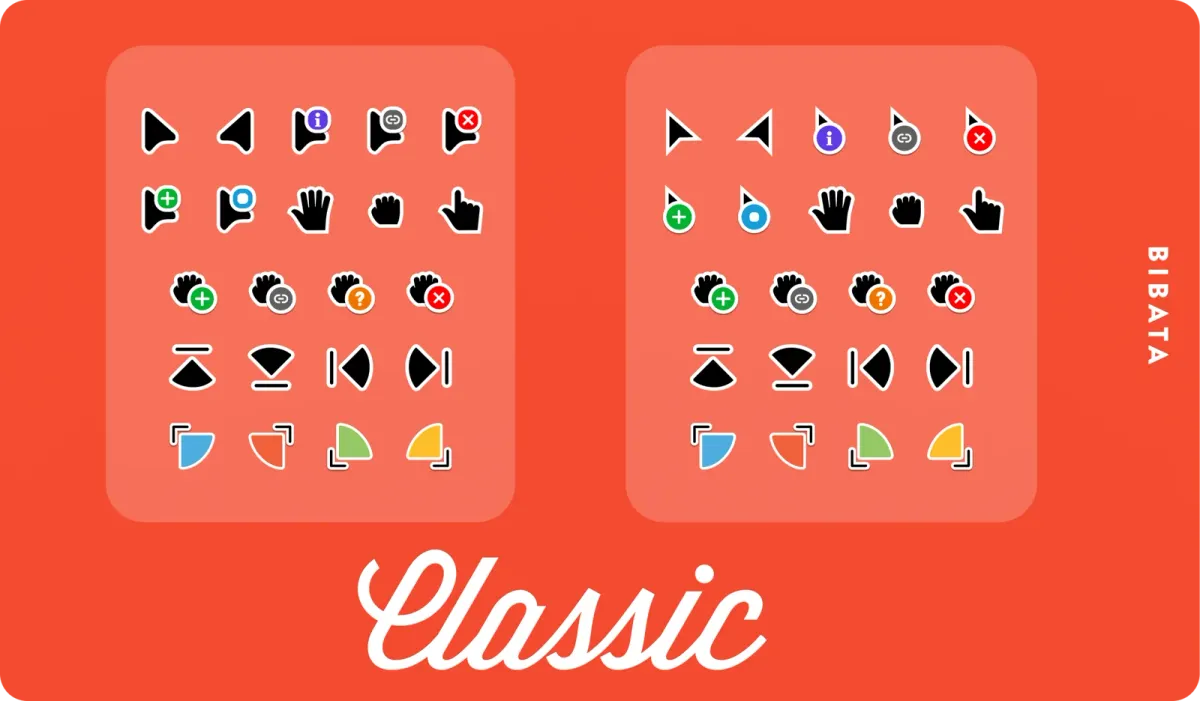
Bibata is a material-style cursor family with Modern rounded edges and Original sharper edges.
Download Bibata-Modern-Classic-Windows.zip
- Creator / project credit
- ful1e5 (Abdulkaiz Khatri)
- Package format
- ZIP archive; not a Rainmeter package
- Source release
- v2.0.7 (source label, not a DeskSpruce test version)
Appearance and choice
Bibata is a material-style cursor family with Modern rounded edges and Original sharper edges. Amber, Classic and Ice are source-listed color treatments, with source-labeled Right variants also represented by the official release assets. They remain one family in this catalog.
The primary link is the Modern Classic Windows ZIP. Compare Modern versus Original before picking color and the source-labeled Normal/Right orientation; the archive list keeps those choices visible without pretending each is a different resource. The README documents Windows sizes separately from Linux Xcursor sizes.
Source variants
These are alternative official assets for the same set:
- Bibata-Modern-Amber-Right-Windows.zip
- Bibata-Modern-Amber-Windows.zip
- Bibata-Modern-Classic-Right-Windows.zip
- Bibata-Modern-Classic-Windows.zip
- Bibata-Modern-Ice-Right-Windows.zip
- Bibata-Modern-Ice-Windows.zip
- Bibata-Original-Amber-Right-Windows.zip
- Bibata-Original-Amber-Windows.zip
- Bibata-Original-Classic-Right-Windows.zip
- Bibata-Original-Classic-Windows.zip
- Bibata-Original-Ice-Right-Windows.zip
- Bibata-Original-Ice-Windows.zip
Before changing your pointers
The maintainer identifies this repository as the final major v2 series and points users to a successor project and bibata.live for personalization. The linked v2.0.7 asset is an observed release, not a claim to be the newest successor output. DeskSpruce has not applied the cursors or tested Windows compatibility.
Extract the ZIP to a folder you can keep. If it supplies .cur or .ani pointer files, use the Windows Pointers dialog to browse for the file for each role, and save a named scheme. A ZIP is a container, .cur is a cursor file and .ani is an animated cursor file; an .inf is configuration, not a preview. Do not run unfamiliar installers merely to inspect the set. See the manual Windows cursor guide for the documented selection and restore path.
Source and credit
The official project README supplies the descriptions and existing preview. ful1e5 (Abdulkaiz Khatri). A checked download destination is not a malware assessment, an installation result or proof of third-party artwork rights.
Compare cursor sets
Similar cursor sets
Alternatives in the same functional category, excluding this entry. Compare their source notes before choosing.

Cursor set
Polar Windows Cursor Set
Polar is a white pointer family whose Orange, Blue and Green variants differ in the spinning bar of the busy and working cursors.

Cursor set
Future Windows Cursors: Amber, Cyan and Dark
Future's Windows port groups Amber, Cyan and Dark accent variants around the same white pointers with dark outlines.

Cursor set
Comix Cursors for Windows: Styles and HiDPI Notes
Comix uses a deliberately bold pointer style with six colors and choices of regular or slim outline, translucent or opaque body, and right- or left-handed schemes.