Inspect / Rainmeter skin
Uptime Clock Pro Rainmeter Skin
Clock and current-weather anchor with three layouts, coordinate/unit controls and an optional separate uptime display.
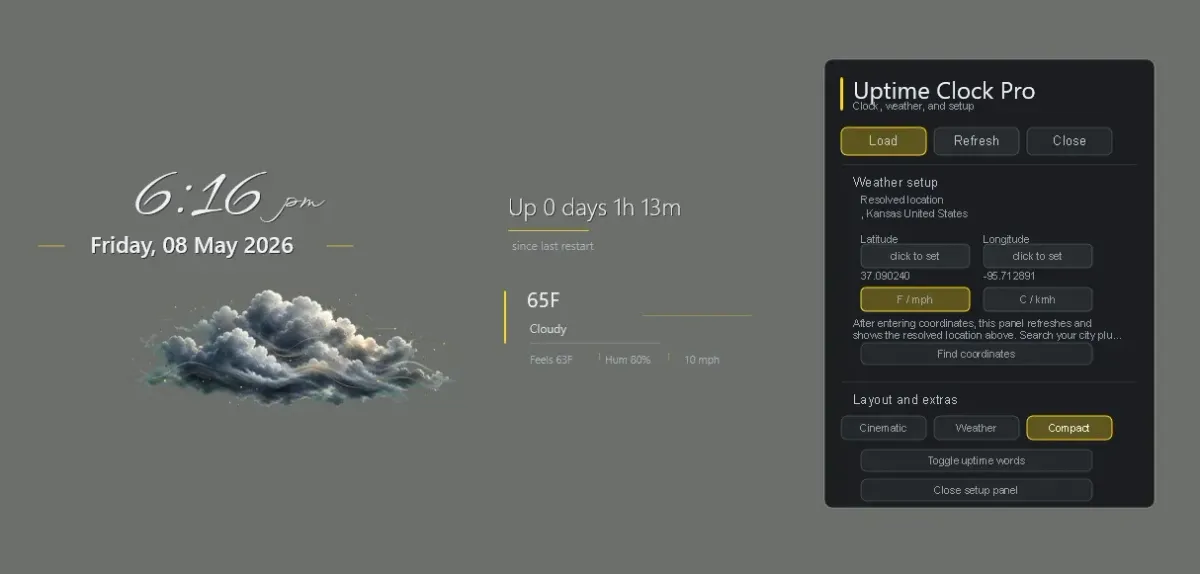
Uptime Clock Pro centers a Rainmeter desktop around expressive time, date and current weather rather than a dense telemetry dashboard. Despite its name, uptime is an optional separate text module. The creator offers Cinematic, Weather and Compact arrangements within one skin family.
Weather and setup controls
The source describes Open-Meteo current weather without an API key, paired with custom raster weather scenes. It lists temperature, condition text and compact details within the clock composition. The Compact preview also shows uptime and the setup panel; its sample temperature and time belong to that creator image, not a live report.
Coordinates and temperature/wind units are controlled from UptimeClockPro\Control\Launcher.ini and stored in @Resources\UserSettings.inc. The panel shows the saved coordinates and a resolved location. The README says city, postal and ZIP lookup remain future work, so do not assume typing a city name is supported.
Layouts, language and scope
The setup panel offers 12-hour or 24-hour time and three layout presets. The creator lists English, Russian, Spanish, Italian, French and German for its labels and controls. The active font stack uses WindSong and Segoe UI Semilight; bundled alternate fonts carry separate OFL notices. A source-listed language or font is not a DeskSpruce readability test.
The main anchor loads from UptimeClockPro\Clock\Anchor.ini. The optional uptime words component loads independently from UptimeClockPro\Uptime\Words.ini. The source intentionally leaves Rainmeter layer and position settings to the user; see position choices if you need to change stacking.
Get the beta from the creator
Open Uptime Clock Pro beta release — release page, not a direct package download. The creator labels this 0.6.5 stable beta and says further settings and polish are planned. Follow the Rainmeter installation guide for the actual file supplied there.
No installation, weather-service response, current Windows-build compatibility or hardware performance was tested by DeskSpruce. Review creator requirements and preserve edited files before changing versions. If weather is blank, identify the source and coordinates using weather diagnosis rather than replacing the whole clock.
Related choices
Mond combines several widget roles in a broader suite. Elegant Clock is a narrower time-focused alternative. For system uptime versus a custom duration, see uptime interpretation. Choose the composition and dependencies you need instead of assuming more visible modules are better.
Creator preview and license
Copyright (c)2026 Peter Moreno. The complete Compact preview is tracked creator documentation in the MIT-licensed project, and the README describes the weather scenes as custom artwork included in the skin. The display copy is resized and re-encoded as WebP, not redrawn or presented as our installation screenshot. Font files are not redistributed here.
Creator source and feature notes · Original Compact preview · MIT license
Full preview-source license
MIT License

Copyright (c) 2026 Peter Moreno

Permission is hereby granted, free of charge, to any person obtaining a copy
of this software and associated documentation files (the "Software"), to deal
in the Software without restriction, including without limitation the rights
to use, copy, modify, merge, publish, distribute, sublicense, and/or sell
copies of the Software, and to permit persons to whom the Software is
furnished to do so, subject to the following conditions:

The above copyright notice and this permission notice shall be included in all
copies or substantial portions of the Software.

THE SOFTWARE IS PROVIDED "AS IS", WITHOUT WARRANTY OF ANY KIND, EXPRESS OR
IMPLIED, INCLUDING BUT NOT LIMITED TO THE WARRANTIES OF MERCHANTABILITY,
FITNESS FOR A PARTICULAR PURPOSE AND NONINFRINGEMENT. IN NO EVENT SHALL THE
AUTHORS OR COPYRIGHT HOLDERS BE LIABLE FOR ANY CLAIM, DAMAGES OR OTHER
LIABILITY, WHETHER IN AN ACTION OF CONTRACT, TORT OR OTHERWISE, ARISING FROM,
OUT OF OR IN CONNECTION WITH THE SOFTWARE OR THE USE OR OTHER DEALINGS IN THE
SOFTWARE.
Similar skins
Alternatives in the same functional category, excluding this entry. Compare their source notes before choosing.
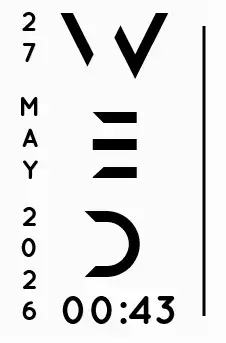
Skin
Axis Rainmeter Skin
Axis is a real-time clock skin built around a minimal vertical layout and futuristic typography.
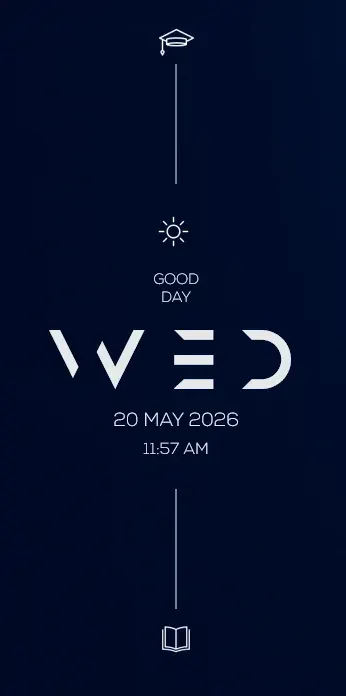
Skin
Soluna Rainmeter Skin
Soluna uses a minimal vertical composition with a Mond-inspired aesthetic and a set of distinctive display fonts.
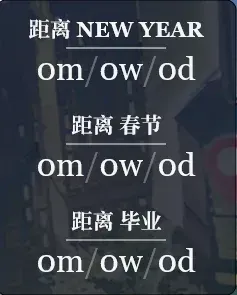

Skin
Simple Countdown Rainmeter Skin
Simple Countdown is described as a minimalist, miniature desktop countdown for Rainmeter.