Inspect / Rainmeter skin
AuthenticWeather for Rainmeter
AuthenticWeather for Rainmeter adapts Authentic Weather's graphics and phrase-based presentation to the desktop.
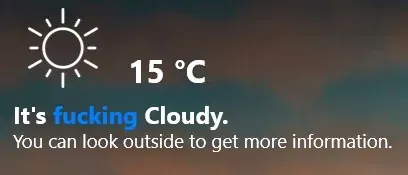
AuthenticWeather for Rainmeter adapts Authentic Weather's graphics and phrase-based presentation to the desktop. The port follows the Android app's visual resources and lets users choose clean or explicit wording. Weather configuration is location-based, using an OpenWeatherMap API key together with latitude and longitude.
What this skin includes
- Offers clean and NSFW phrase choices.
- Uses an OpenWeatherMap API key and geographic coordinates.
- Configuration is stored in AuthenticWeather.ini.
- Credits an earlier AuthenticWeather adaptation for Übersicht.
- The source attributes graphics and phrases to Authentic Weather.
Setup and limits
Download the RMSKIN from Releases and double-click it to install. Open the AuthenticWeather folder inside the Rainmeter Skins directory, then edit AuthenticWeather.ini to enter the OpenWeatherMap API key, latitude and longitude. Choose the clean or NSFW phrase option and refresh the skin.
Weather retrieval depends on OpenWeatherMap and the configured API key and coordinates. The supplied source does not specify an API endpoint, account tier or Rainmeter version. Explicit wording is an available option rather than a required part of the presentation. Current Windows-build compatibility has not been independently verified; this research did not install or execute the skin.
Open creator source and setup instructions (source page, not a direct installer).
Creator and preview provenance
Created by Shaneee. Creator source · Original source preview. Documentation preview published in Shaneee/AuthenticWeather-Rainmeter; credited to Shaneee. Third-party wallpaper or imagery is not asserted included. Preview reproduction is owner-authorized with unverified reuse rights; this is not a creator license grant.
Related skins and installation
Read the Rainmeter installation guide. Compare Mond and Wisp. These are different works, not additional editions of this skin.
Similar skins
Alternatives in the same functional category, excluding this entry. Compare their source notes before choosing.
Skin
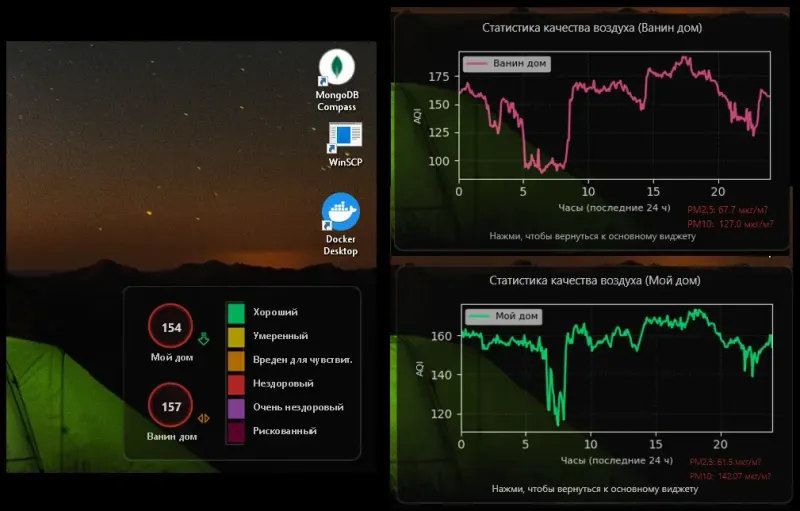
Hel AQI Desktop Widget Rainmeter Skin
Hel AQI Desktop Widget pairs a semi-transparent, two-location Rainmeter display with separate air-quality history graphs.
Skin
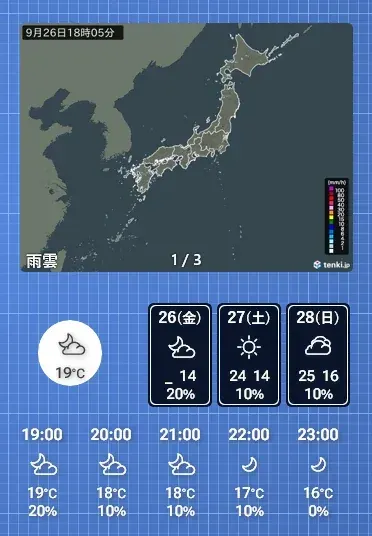
OhTenki Japan Rainmeter Skin
OhTenki Japan is a Rainmeter weather skin intended for people living in Japan.


Skin
bomWeather 2020 Rainmeter Skin
bomWeather 2020 brings Australian Bureau of Meteorology forecasts into Rainmeter.