Inspect / Rainmeter skin
Uptime Kuma Widget for Rainmeter
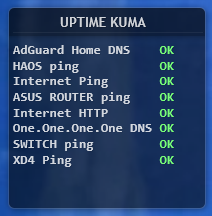
Uptime Kuma Widget displays monitor status in a Rainmeter panel styled to fit Illustro.
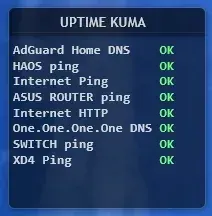
Uptime Kuma Widget displays monitor status in a Rainmeter panel styled to fit Illustro. Status labels use green, red, and yellow to distinguish OK, DOWN, and WAIT. Its data path separates retrieval from display: PowerShell writes a text file, which a Lua reader supplies to the skin.
What this skin includes
- Status colors are green for OK, red for DOWN, and yellow for WAIT.
- kuma.ps1 retrieves data from Uptime Kuma.
- Formatted results are written to kuma.txt.
- KumaReader.lua reads the results for Rainmeter.
- The source uses Task Scheduler for background retrieval.
Setup and limits
Place Kuma.ini, KumaReader.lua, and kuma.ps1 in Documents\Rainmeter\Skins\illustro\Kuma. Edit the script's BaseUrl and Slug for your Uptime Kuma instance and status page. The source schedules retrieval at logon with one-minute repetition. Load illustro → Kuma → Kuma.ini through Rainmeter.
The widget depends on a reachable Uptime Kuma instance, PowerShell, Lua-based file reading, and Windows Task Scheduler. Rainmeter displays script-generated data rather than fetching the API directly, so retrieval scheduling determines when updated status reaches the file. Current Windows-build compatibility has not been independently verified; this research did not install or execute the skin.
Open creator source and setup instructions (source page, not a direct installer).
Creator and preview provenance
Created by maks021. Creator source · Original source preview. Documentation preview published in maks021/rainmeter-uptime-kuma-widget; credited to maks021. Third-party wallpaper or imagery is not asserted included. Preview reproduction is owner-authorized with unverified reuse rights; this is not a creator license grant.
Related skins and installation
Read the Rainmeter installation guide. Compare System Information and SysDash. These are different works, not additional editions of this skin.
Similar skins
Alternatives in the same functional category, excluding this entry. Compare their source notes before choosing.
Skin
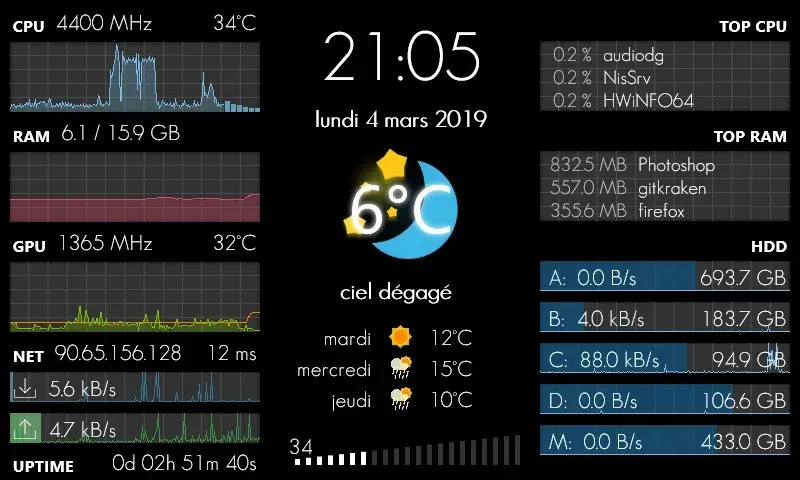
GalaxyS Rainmeter Skin
GalaxyS is a compact monitoring dashboard designed around an 800 × 480 screen, originally a Galaxy S used through AirDisplay.
Skin
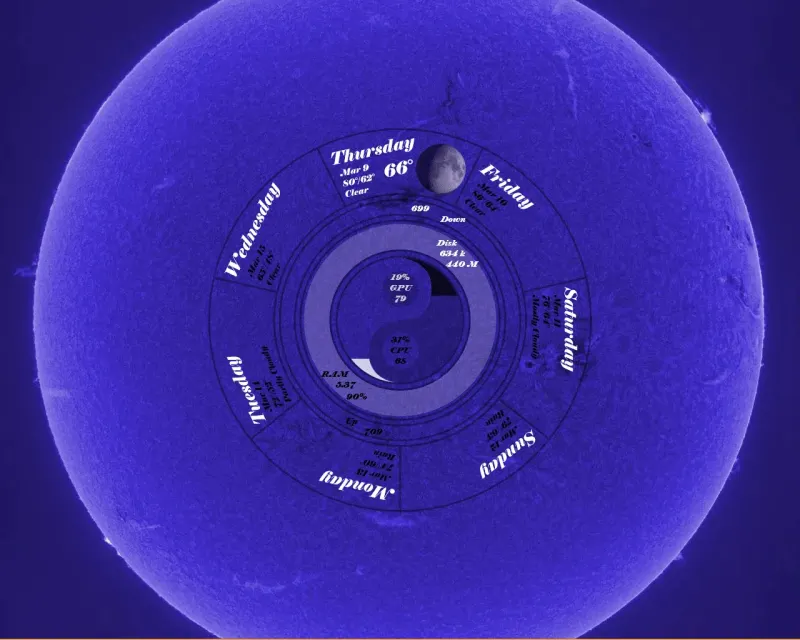
Eccentricity0 Rainmeter Skin
Eccentricity0 arranges hardware and network readings in a circular composition, using rings, arcs and a yin-yang image rather than conventional dashboard panels.
Skin
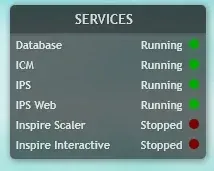
Service Monitor Rainmeter Skin
Service Monitor is a Rainmeter skin for watching selected Windows services rather than general CPU or memory readings.