Inspect / Rainmeter skin
SwatchBar Rainmeter Skin
SwatchBar places a row of color swatches in the taskbar for transferring colors between applications.

SwatchBar places a row of color swatches in the taskbar for transferring colors between applications. Clipboard-based mouse actions let users copy, replace, add, or remove swatches, while the plus control has separate color settings. The source credits Cacto's pastel theme for its appearance.
What this skin includes
- Left-clicking a swatch copies its HEX color to the clipboard.
- Right-clicking a swatch replaces its color with the clipboard value.
- Middle-clicking a swatch deletes it.
- Left-clicking the plus adds a swatch from the clipboard.
- Right- and middle-clicking the plus change its foreground and background colors.
Setup and limits
For manual installation, obtain the Rainmeter installer from rainmeter.net and the newest .rmskin from the project's releases. The source also provides a Chocolatey and Git Bash route that installs Rainmeter and clones the repository into its skins directory. Double-click the plus to open settings.
Clipboard contents drive the documented color-transfer actions. Opening settings by double-clicking the plus also pastes any color code currently on the clipboard. Moving the plus to the end of the bar is listed as a future task, not an available option. Current Windows-build compatibility has not been independently verified; this research did not install or execute the skin.
Open creator source and setup instructions (source page, not a direct installer).
Creator and preview provenance
Created by sceleri. Creator source · Original source preview. Creator/source documentation preview from sceleri/swatchbar. Background artwork or third-party content in the image is not asserted to be included. Preview reproduction is owner-authorized with unverified reuse rights; this is not a creator license grant.
Related skins and installation
Read the Rainmeter installation guide. Compare Mond and Wisp. These are different works, not additional editions of this skin.
Similar skins
Alternatives in the same functional category, excluding this entry. Compare their source notes before choosing.
Skin
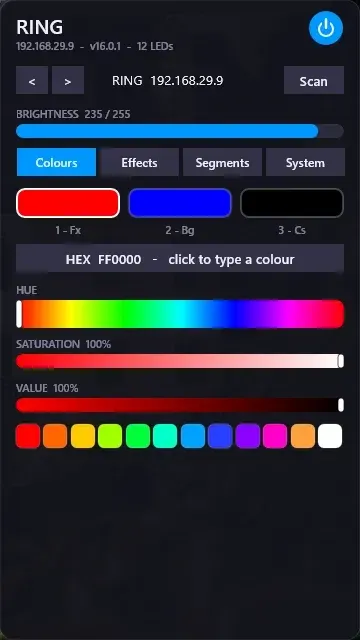
WLED Control for Rainmeter
WLED Control puts lighting controls into a tabbed Rainmeter interface rather than a conventional desktop information widget.

Skin
Cryptocoins Widget for Rainmeter
Cryptocoins Widget is a Rainmeter cryptocurrency display fork with compact widget variations.


Skin
Minimal To-Do List Rainmeter Skin
Minimal To-Do List presents tasks in a dark Rainmeter widget with rounded corners and vector graphics.