Inspect / Rainmeter skin
Smart Bulb Control Rainmeter Skin
Smart Bulb Control puts lighting controls into a Rainmeter skin built around a lightbulb icon.

Smart Bulb Control puts lighting controls into a Rainmeter skin built around a lightbulb icon. Left-clicking toggles the configured bulb, the context menu offers scenes, and scrolling adjusts brightness. The skin uses a bulb IP address entered in its configuration rather than a documented automatic discovery process.
What this skin includes
- Left-click toggles the bulb on or off.
- Right-click opens scene selection.
- The context menu supports at most 25 scenes.
- Mouse-wheel scrolling raises or lowers brightness.
- Scene entries are editable in Smart Bulb Control.ini.
Setup and limits
Install wizcon with pip install wizcon, then install the Smart Bulb Control 0.3.1.rmskin package. Enter your bulb's IP address in Smart Bulb Control.ini and load the skin. Modify the scene list in that same file if you want to change the available context-menu choices.
The source lists Rainmeter, Python 3 and wizcon as requirements. A bulb IP address must be configured, and the scene menu is limited to 25 entries. The supplied description does not establish a complete list of supported bulb models. Current Windows-build compatibility has not been independently verified; this research did not install or execute the skin.
Open creator source and setup instructions (source page, not a direct installer).
Creator and preview provenance
Created by rgomezjnr. Creator source · Original source preview. Documentation preview published in rgomezjnr/Smart-Bulb-Control; credited to rgomezjnr. Third-party wallpaper or imagery is not asserted included. Preview reproduction is owner-authorized with unverified reuse rights; this is not a creator license grant.
Source license or licensing statement; check the scope and any more specific notices before reuse.
Related skins and installation
Read the Rainmeter installation guide. Compare Mond and Wisp. These are different works, not additional editions of this skin.
The displayed preview is a still frame from the creator GIF, resized and re-encoded; use the original preview link to see the animation.
Similar skins
Alternatives in the same functional category, excluding this entry. Compare their source notes before choosing.
Skin
WLED Control for Rainmeter
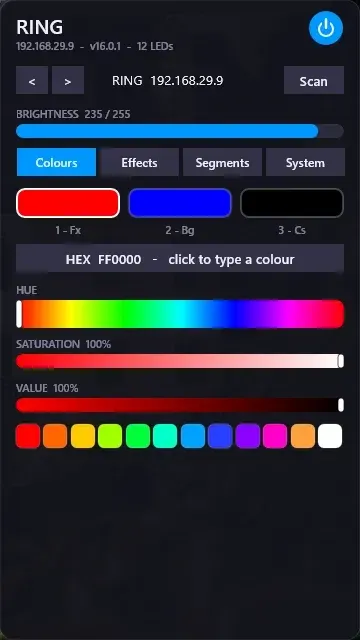
WLED Control puts lighting controls into a tabbed Rainmeter interface rather than a conventional desktop information widget.

Skin
Cryptocoins Widget for Rainmeter
Cryptocoins Widget is a Rainmeter cryptocurrency display fork with compact widget variations.


Skin
Minimal To-Do List Rainmeter Skin
Minimal To-Do List presents tasks in a dark Rainmeter widget with rounded corners and vector graphics.