Inspect / Rainmeter skin
Rainmeter ToDo List
Rainmeter ToDo List is a minimal task widget backed by an editable text file.

Rainmeter ToDo List is a minimal task widget backed by an editable text file. It provides buttons for adding tasks, refreshing externally edited entries, and resetting task status. Recurring-task markers and adjustable alignment make it more configurable than a static desktop checklist without requiring a separate task service.
What this skin includes
- Add button creates tasks without directly editing tasks.txt.
- Refresh button reloads changes made to tasks.txt.
- Reset clears completion status and removes completed non-recurring tasks.
- Tasks ending in |R are marked as recurring.
- Alignment and TaskWidth are editable in todo.ini.
Setup and limits
Place the complete rainmeter-todo-list folder in Rainmeter's skins location. Load todo/todo.ini through Rainmeter's Skins menu; use Refresh All if it is absent. To edit entries directly, open tasks.txt from the todo folder, keep one task per line and an empty final line, then press the widget's Refresh button.
Direct text editing depends on the documented line format: +| marks completion and |R marks recurrence. Deleting or reordering tasks through dedicated controls, toggling recurrence through controls, CSV export, and completion logs are planned items, not established features. Width and alignment changes require editing todo.ini. Current Windows-build compatibility has not been independently verified; this research did not install or execute the skin.
Open creator source and setup instructions (source page, not a direct installer).
Creator and preview provenance
Created by Pernickety. Creator source · Original source preview. Documentation preview published in Pernickety/rainmeter-todo-list; credited to Pernickety. Third-party wallpaper or imagery is not asserted included. Preview reproduction is owner-authorized with unverified reuse rights; this is not a creator license grant.
Source license or licensing statement; check the scope and any more specific notices before reuse.
Related skins and installation
Read the Rainmeter installation guide. Compare Mond and Wisp. These are different works, not additional editions of this skin.
The displayed preview is a still frame from the creator GIF, resized and re-encoded; use the original preview link to see the animation.
Similar skins
Alternatives in the same functional category, excluding this entry. Compare their source notes before choosing.
Skin
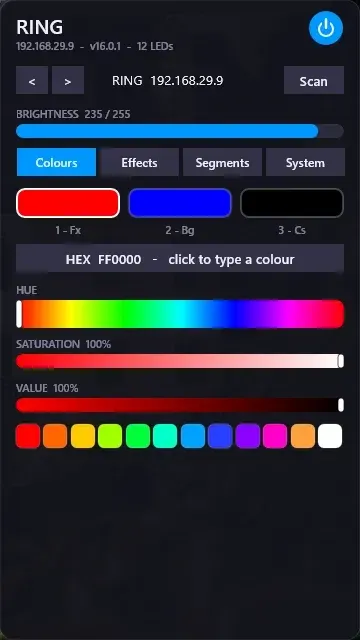
WLED Control for Rainmeter
WLED Control puts lighting controls into a tabbed Rainmeter interface rather than a conventional desktop information widget.

Skin
Cryptocoins Widget for Rainmeter
Cryptocoins Widget is a Rainmeter cryptocurrency display fork with compact widget variations.


Skin
Minimal To-Do List Rainmeter Skin
Minimal To-Do List presents tasks in a dark Rainmeter widget with rounded corners and vector graphics.