Inspect / Rainmeter skin
Rainmeter-Sys-Monitor Rainmeter Skin
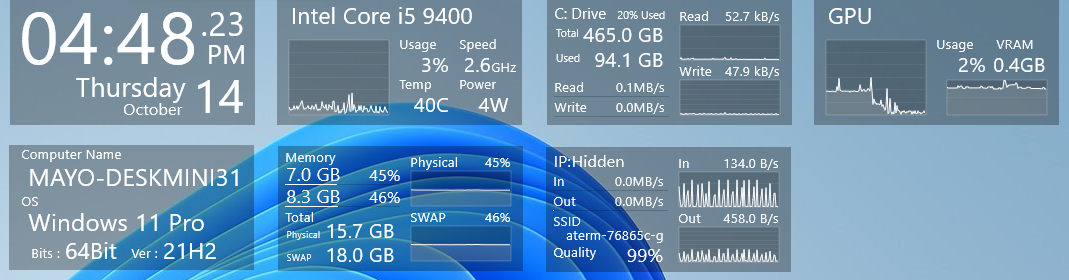
Rainmeter-Sys-Monitor groups CPU, GPU, network, memory, storage, and operating-system readings into a monitoring skin.
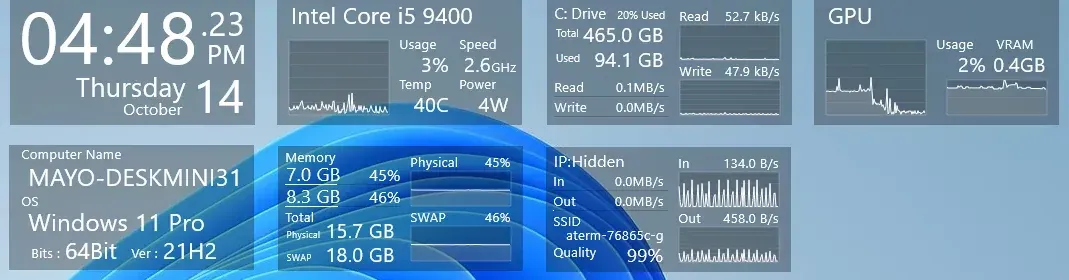
Rainmeter-Sys-Monitor groups CPU, GPU, network, memory, storage, and operating-system readings into a monitoring skin. It also includes a clock and date display, while network details differ between wired and wireless connections and the IP address is revealed through a labeled control.
What this skin includes
- CPU readings include name, utilization, frequency, temperature, and power.
- GPU readings include utilization and VRAM utilization.
- Wireless networking adds SSID and wireless quality.
- Clicking Hidden reveals the IP address.
- Memory readings cover RAM and SWAP totals and utilization.
- Storage readings include total size, used size, and read/write speeds.
Setup and limits
Install Rainmeter, then download Sys.Monitor.rmskin from the project’s Release section. Open the downloaded package to install the skin. Install CoreTemp for full CPU functionality. Within the network display, click Hidden when you want to show the IP address.
CoreTemp is explicitly required for the CPU skin to be fully functional. The source labels the GPU skins experimental and warns that their readings may be inaccurate. It does not provide additional hardware compatibility details. Current Windows-build compatibility has not been independently verified; this research did not install or execute the skin.
Open creator source and setup instructions (source page, not a direct installer).
Creator and preview provenance
Created by Mayochun. Creator source · Original source preview. Creator/source documentation preview from Mayochun/Rainmeter-Sys-Monitor. Background artwork or third-party content in the image is not asserted to be included. Preview reproduction is owner-authorized with unverified reuse rights; this is not a creator license grant.
Source license or licensing statement; check the scope and any more specific notices before reuse.
Related skins and installation
Read the Rainmeter installation guide. Compare System Information and SysDash. These are different works, not additional editions of this skin.
Similar skins
Alternatives in the same functional category, excluding this entry. Compare their source notes before choosing.
Skin
GalaxyS Rainmeter Skin
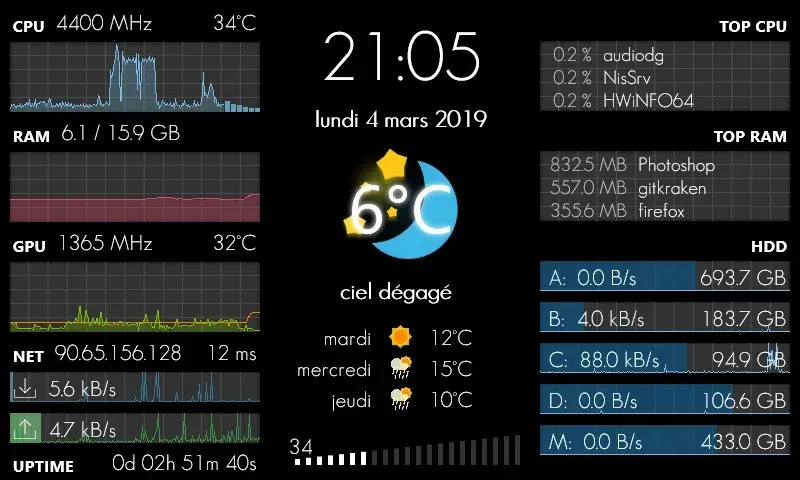
GalaxyS is a compact monitoring dashboard designed around an 800 × 480 screen, originally a Galaxy S used through AirDisplay.
Skin
Eccentricity0 Rainmeter Skin
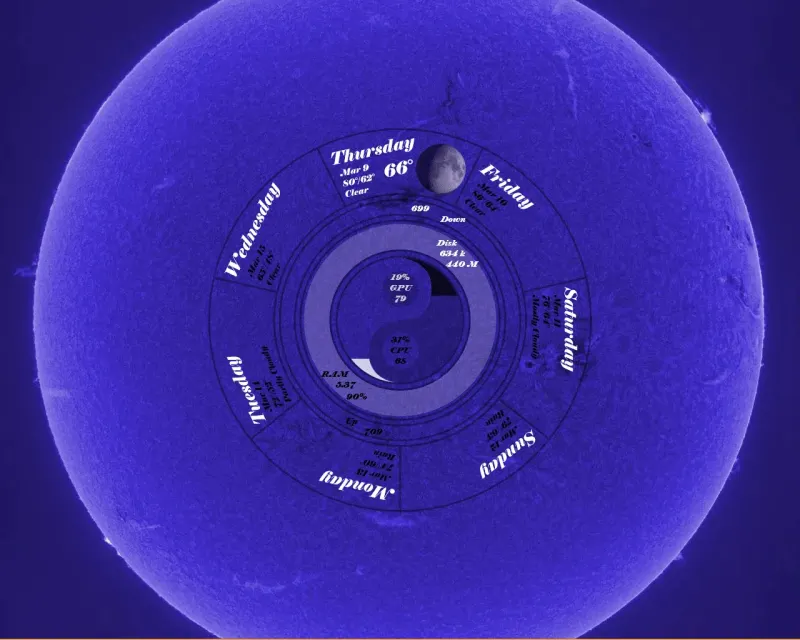
Eccentricity0 arranges hardware and network readings in a circular composition, using rings, arcs and a yin-yang image rather than conventional dashboard panels.
Skin
Service Monitor Rainmeter Skin
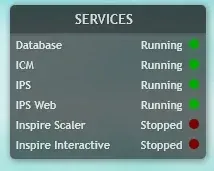
Service Monitor is a Rainmeter skin for watching selected Windows services rather than general CPU or memory readings.