Inspect / Rainmeter skin
Rainmeter Game Mode Button
Rainmeter Game Mode Button switches between two saved layouts through a desktop icon.
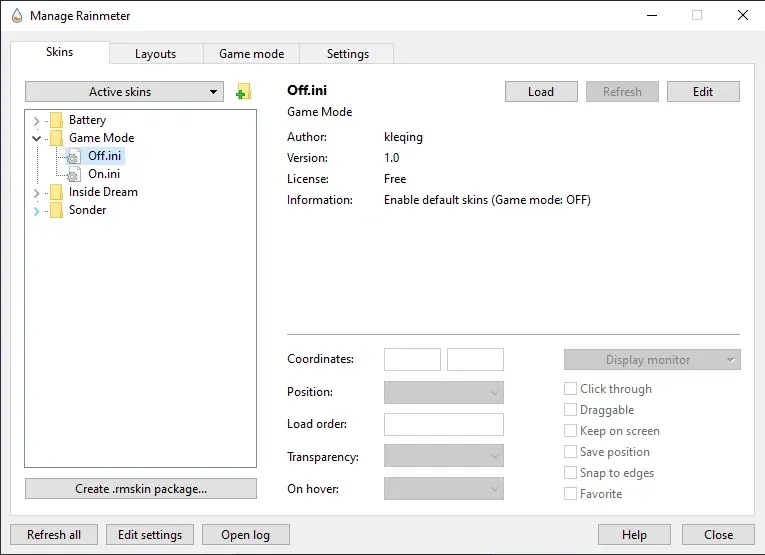
Rainmeter Game Mode Button switches between two saved layouts through a desktop icon. The source's example pairs a normal desktop arrangement with an empty gaming layout. Separate On and Off INI files target the layouts, and their click actions can be edited to use different saved names.
What this skin includes
- The supplied skin targets two layouts.
- Separate On and Off INI files define the switching buttons.
- The example layout names are Default and Gaming.
- Icons can be replaced in @Resources.
- Layout targets are edited in LeftMouseUpAction.
Setup and limits
Save your desktop arrangement in Rainmeter's Layout tab, then save a second layout with Save as empty layout selected. Apply the second layout and load the appropriate On or Off INI. If using custom layout names, update the corresponding LeftMouseUpAction target in each relevant INI file.
This implementation switches only two layouts, with one target per INI file. It relies on saved Rainmeter layouts rather than documenting game detection or automatic switching. The author's gaming motivation does not establish measured frame-rate, battery, or performance improvements. Current Windows-build compatibility has not been independently verified; this research did not install or execute the skin.
Open creator source and setup instructions (source page, not a direct installer).
Creator and preview provenance
Created by kleqing. Creator source · Original source preview. Documentation preview published in kleqing/Rainmeter-game-mode-skin; credited to kleqing. Third-party wallpaper or imagery is not asserted included. Preview reproduction is owner-authorized with unverified reuse rights; this is not a creator license grant.
Related skins and installation
Read the Rainmeter installation guide. Compare Mond and Wisp. These are different works, not additional editions of this skin.
Similar skins
Alternatives in the same functional category, excluding this entry. Compare their source notes before choosing.
Skin
WLED Control for Rainmeter
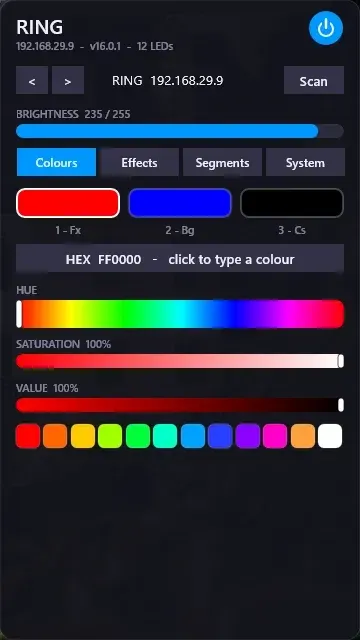
WLED Control puts lighting controls into a tabbed Rainmeter interface rather than a conventional desktop information widget.

Skin
Cryptocoins Widget for Rainmeter
Cryptocoins Widget is a Rainmeter cryptocurrency display fork with compact widget variations.

Skin
Minimal To-Do List Rainmeter Skin
Minimal To-Do List presents tasks in a dark Rainmeter widget with rounded corners and vector graphics.