Inspect / Rainmeter skin
PriorityMatrix Rainmeter Skin
PriorityMatrix arranges a Rainmeter to-do list into four priority quadrants: Do now, Delegate, Schedule, and Eliminate.
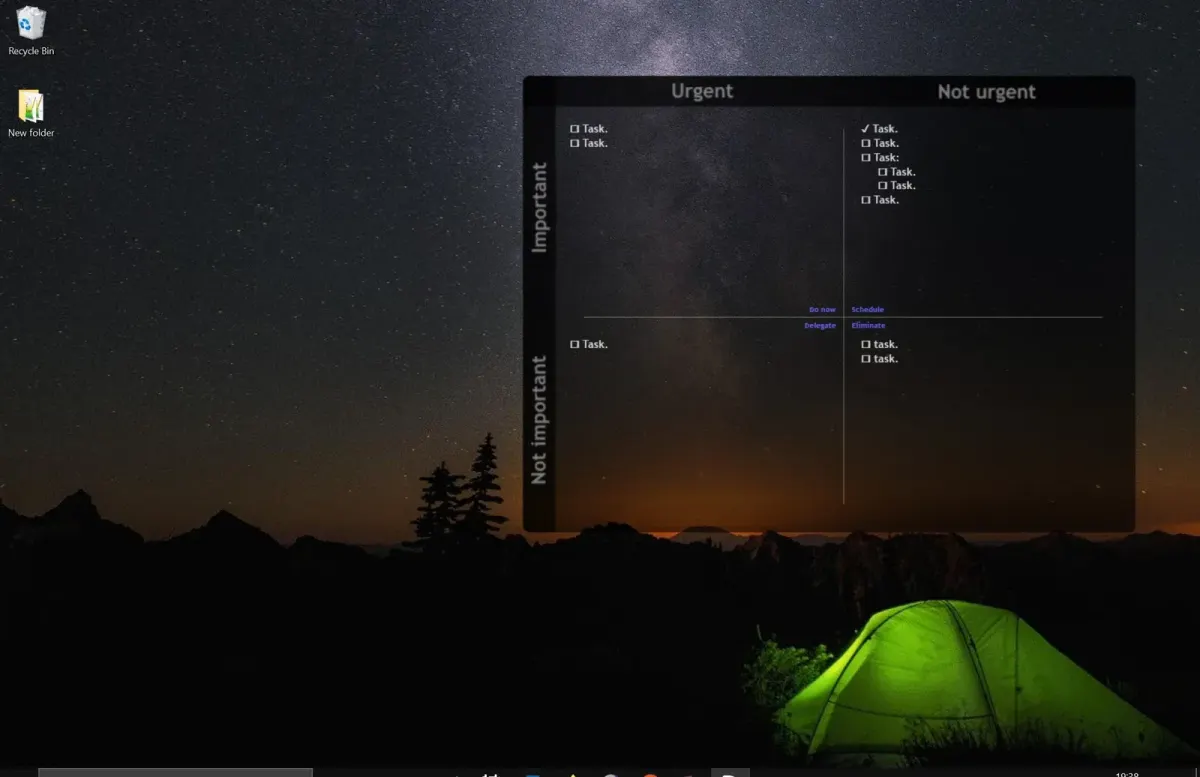
PriorityMatrix arranges a Rainmeter to-do list into four priority quadrants: Do now, Delegate, Schedule, and Eliminate. Each section opens its own text file for editing, keeping task entry separate from the desktop display. Saved changes update the relevant quadrant, and the files can contain UTF-16 characters such as check marks.
What this skin includes
- Uses a two-by-two priority matrix.
- Clicking a quadrant heading opens its task text file.
- Saving edits updates the corresponding quadrant.
- Each quadrant displays roughly 14 lines.
- A portable Rainmeter setup in a cloud folder is documented for syncing.
Setup and limits
Download the repository ZIP, extract it, and copy PriorityMatrix into Rainmeter's Skins folder. Open Rainmeter, select Refresh All, expand PriorityMatrix, and load PriorityMatrix.ini. Click a quadrant heading to edit its text file, then save. Optionally select Settings > Position > On Desktop from the skin's context menu.
The documented setup is Windows-only and requires Rainmeter. Only roughly the first 14 lines of each task file appear in its quadrant; later lines remain hidden. Cloud syncing uses a portable Rainmeter installation in a cloud-synced folder rather than a built-in account service. Current Windows-build compatibility has not been independently verified; this research did not install or execute the skin.
Open creator source and setup instructions (source page, not a direct installer).
Creator and preview provenance
Created by othmanalbahri1. Creator source · Original source preview. Documentation preview published in othmanalbahri1/prioritymatrix; credited to othmanalbahri1. Third-party wallpaper or imagery is not asserted included. Preview reproduction is owner-authorized with unverified reuse rights; this is not a creator license grant.
Source license or licensing statement; check the scope and any more specific notices before reuse.
Related skins and installation
Read the Rainmeter installation guide. Compare Mond and Wisp. These are different works, not additional editions of this skin.
Similar skins
Alternatives in the same functional category, excluding this entry. Compare their source notes before choosing.
Skin
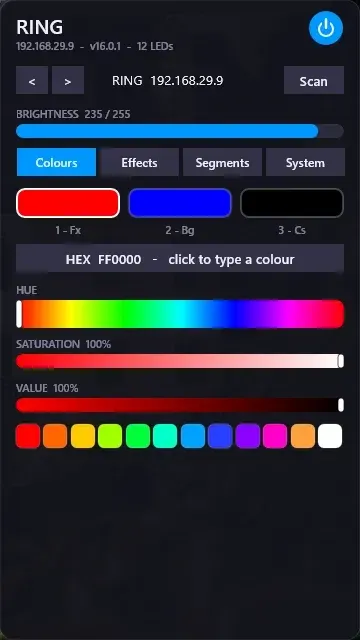
WLED Control for Rainmeter
WLED Control puts lighting controls into a tabbed Rainmeter interface rather than a conventional desktop information widget.

Skin
Cryptocoins Widget for Rainmeter
Cryptocoins Widget is a Rainmeter cryptocurrency display fork with compact widget variations.


Skin
Minimal To-Do List Rainmeter Skin
Minimal To-Do List presents tasks in a dark Rainmeter widget with rounded corners and vector graphics.