Inspect / Rainmeter skin
Plex Activity Rainmeter Skin
Plex Activity displays playback sessions reported by a Tautulli server on the desktop.
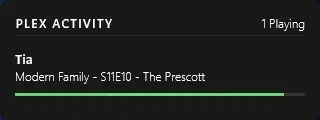
Plex Activity displays playback sessions reported by a Tautulli server on the desktop. It combines user information, stream quality, transcoding status and progress bars in a configurable panel. Background opacity, update timing and the number of listed streams can be adjusted through the skin's variables file.
What this skin includes
- Reads playback activity from Tautulli.
- Shows user details, stream quality, transcoding status and progress bars.
- Requires a Tautulli address and API key.
- BgColor controls background color and opacity.
- MaxStreams defaults to five, with an overflow message when the list is truncated.
- Includes connection-error reporting.
Setup and limits
Download the latest .rmskin from Releases and double-click it to install. Load Skins -> Tautulli -> PlexActivity.ini. Right-click and choose Edit skin, or open @Resources/variables.inc, then set PlexPyAddress and APIKey for your Tautulli server. Save configuration changes and refresh the skin.
A reachable Tautulli server and valid API key are required. The documented meters support at most 20 streams without regeneration; larger lists require running the supplied Node script and replacing meters.inc. The license is Creative Commons Attribution-NonCommercial-ShareAlike 3.0. Current Windows-build compatibility has not been independently verified; this research did not install or execute the skin.
Open creator source and setup instructions (source page, not a direct installer).
Creator and preview provenance
Created by csmit195. Creator source · Original source preview. Documentation preview published in csmit195/rm-plex-activity-skin; credited to csmit195. Third-party wallpaper or imagery is not asserted included. Preview reproduction is owner-authorized with unverified reuse rights; this is not a creator license grant.
Related skins and installation
Read the Rainmeter installation guide. Compare Mond and Wisp. These are different works, not additional editions of this skin.
Similar skins
Alternatives in the same functional category, excluding this entry. Compare their source notes before choosing.
Skin
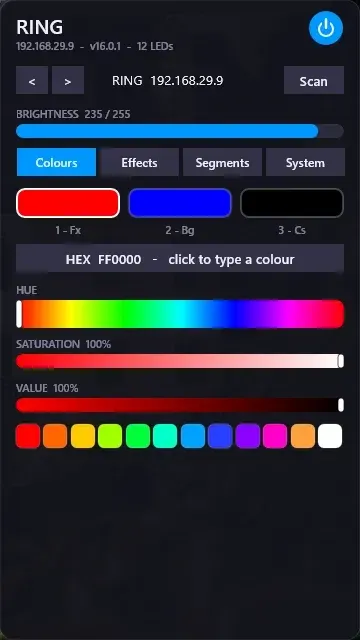
WLED Control for Rainmeter
WLED Control puts lighting controls into a tabbed Rainmeter interface rather than a conventional desktop information widget.

Skin
Cryptocoins Widget for Rainmeter
Cryptocoins Widget is a Rainmeter cryptocurrency display fork with compact widget variations.

Skin
Minimal To-Do List Rainmeter Skin
Minimal To-Do List presents tasks in a dark Rainmeter widget with rounded corners and vector graphics.