Inspect / Rainmeter skin
Needy Streamer Overload Rainmeter Skin
Needy Streamer Overload recreates elements of the visual novel’s desktop interface as a Rainmeter suite.
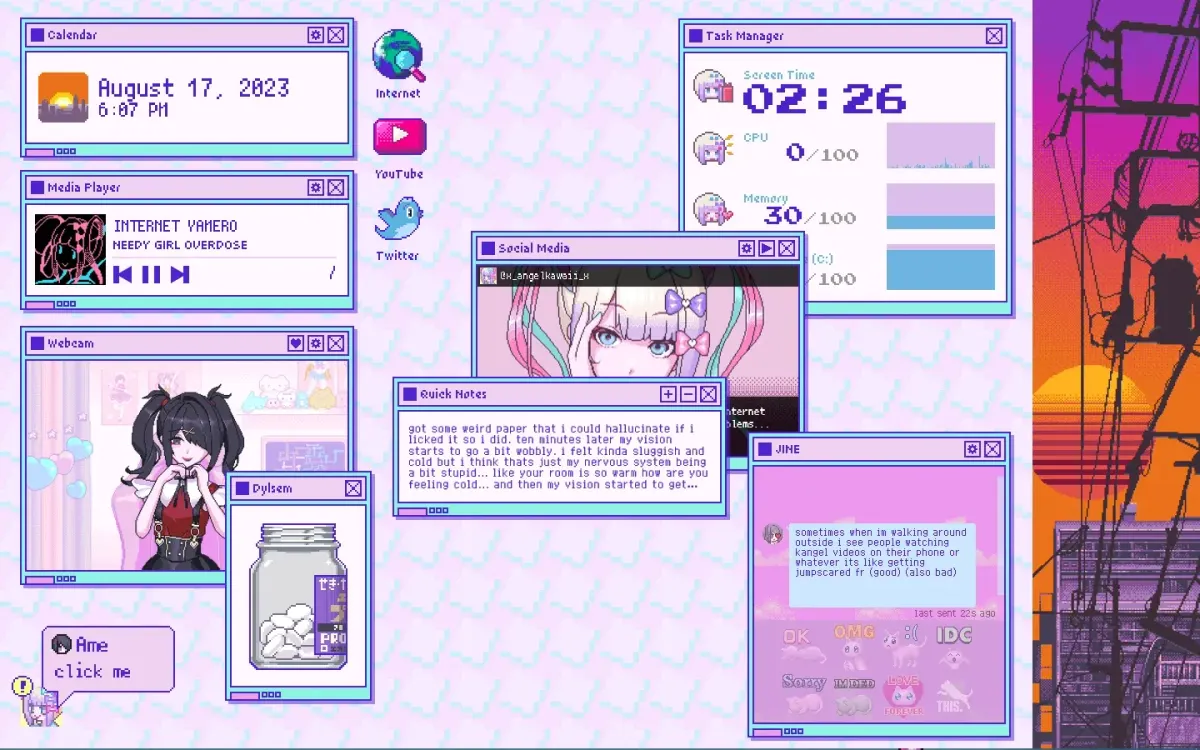
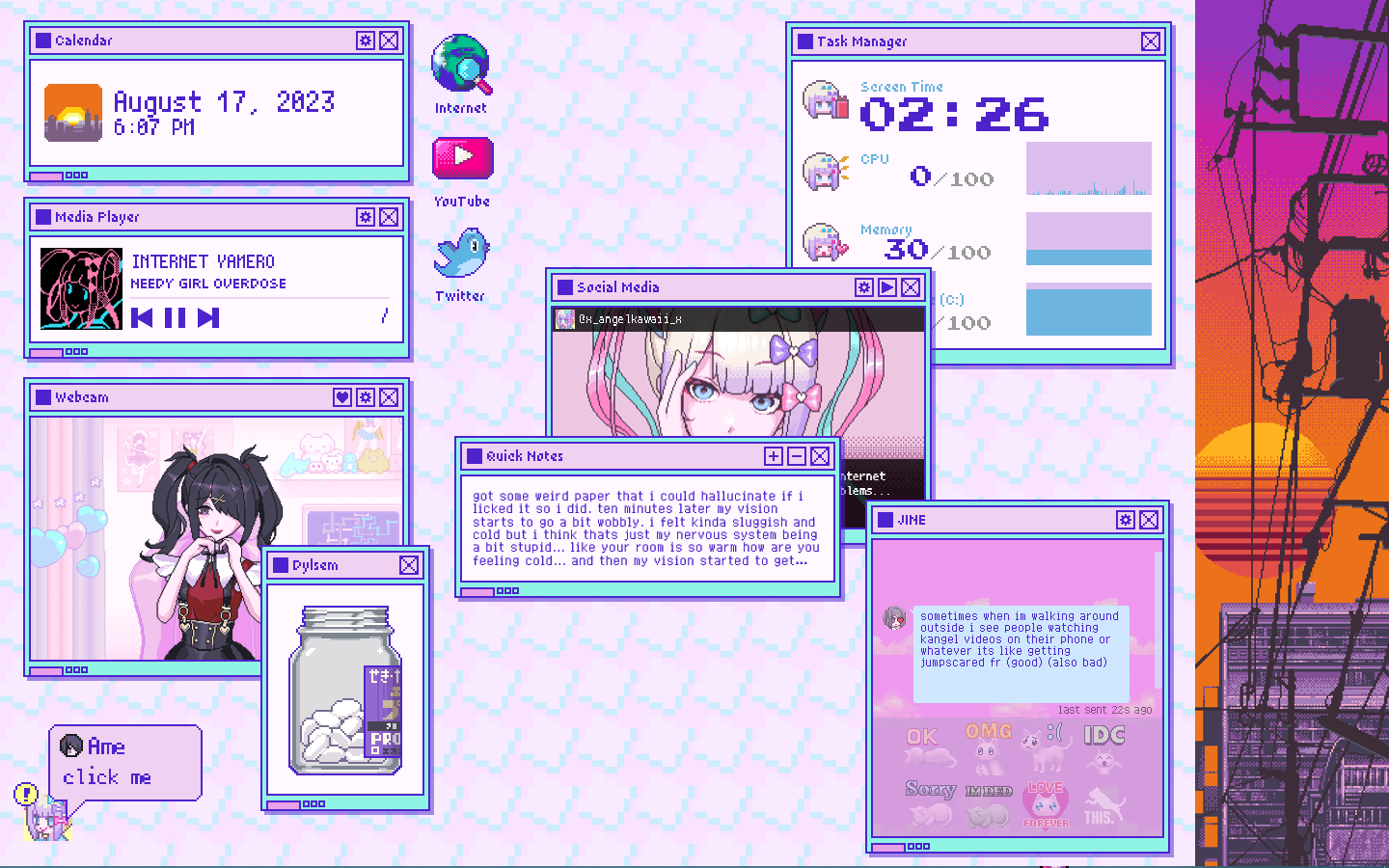
Needy Streamer Overload recreates elements of the visual novel’s desktop interface as a Rainmeter suite. Alongside performance readings, media information, notes, and a calendar, it includes an interactive Ame character, simulated messages, and social-media panels whose displayed activity changes with screen time.
What this skin includes
- Task Manager reports uptime, CPU, RAM, and disk space.
- Performance values turn red at a critical threshold.
- Ame changes in response to computer performance.
- JINE messages and their frequency can be customized.
- Quick Notes includes four variants.
- Trash Bin reveals item count and size on hover.
Setup and limits
Install Rainmeter, download the .rmskin from Releases, and install it to load the Welcome Skin. Alternatively, clone the repository into the Rainmeter folder under Documents using the destination name Needy Streamer Overload without hyphens. Configure weather using the source page’s Weather Installation section.
Weather requires user-supplied information and an API key; the source credits OpenWeatherMap code. WebPlayer requires a browser extension, and the source reports missing Spotify metadata. Dialogues include self-harm, drug, and sexual references. The Medications component is described only as a fidget skin. Current Windows-build compatibility has not been independently verified; this research did not install or execute the skin.
Open creator source and setup instructions (source page, not a direct installer).
Creator and preview provenance
Created by lezzthanthree. Creator source · Original source preview. Creator/source documentation preview from lezzthanthree/Needy-Streamer-Overload. Background artwork or third-party content in the image is not asserted to be included. Preview reproduction is owner-authorized with unverified reuse rights; this is not a creator license grant.
Source license or licensing statement; check the scope and any more specific notices before reuse.
Related skins and installation
Read the Rainmeter installation guide. Compare Mond and Wisp. These are different works, not additional editions of this skin.
Similar skins
Alternatives in the same functional category, excluding this entry. Compare their source notes before choosing.
Skin
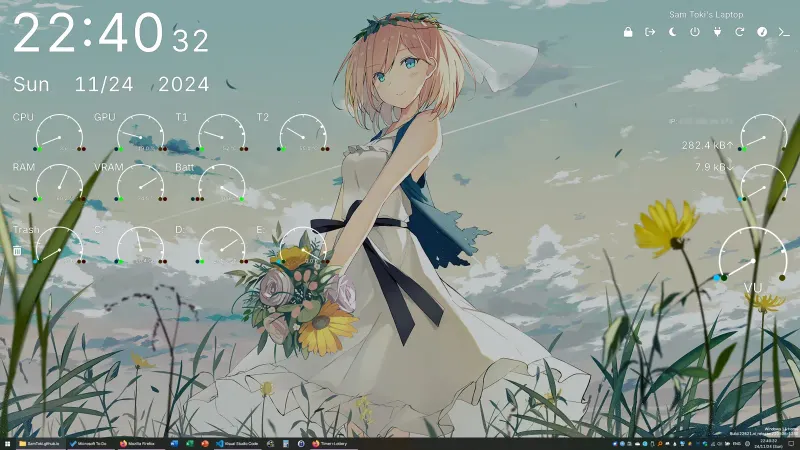
Candy Rainmeter Skin Pack
Candy Rainmeter Skin Pack combines minimalist desktop decoration with floating monitoring widgets.
Skin
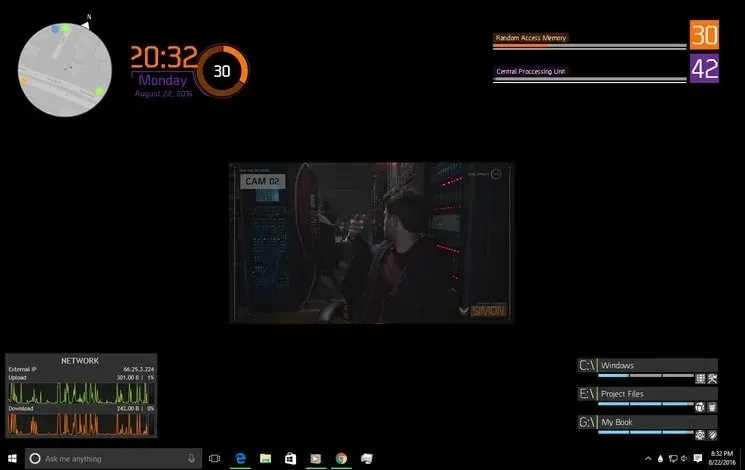
The Division Rainmeter Skin
The Division brings a desktop interface inspired by Tom Clancy's The Division into Rainmeter, pairing system readouts with a game launcher and clock.
Skin
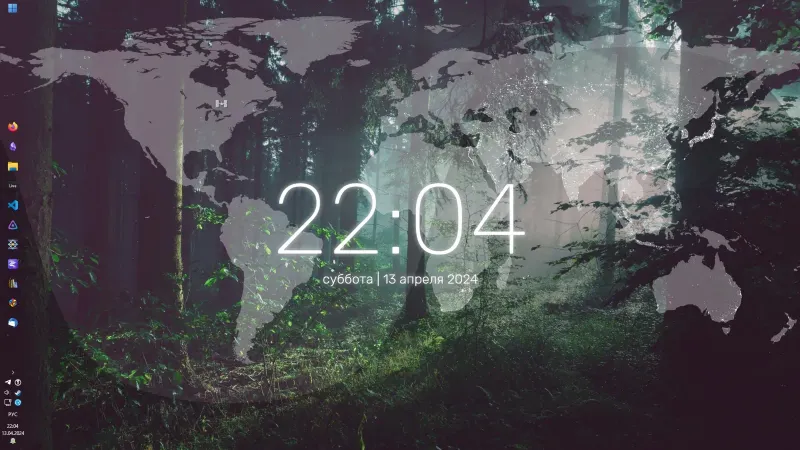
Simple Lines Rainmeter Suite
Simple Lines combines clocks, a calendar, system readings, and a world map with an ISS position marker and day–night boundary.