Inspect / Rainmeter skin
Monterey Rainmeter Suite
Monterey brings a macOS Big Sur-inspired widget collection to Rainmeter, combining everyday information with audio controls and small productivity tools.
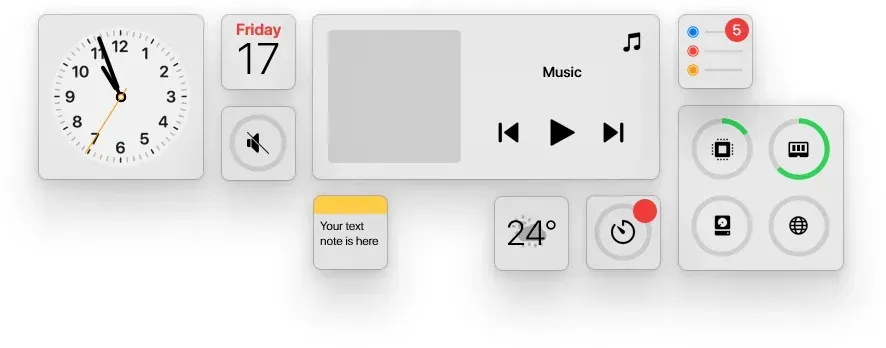
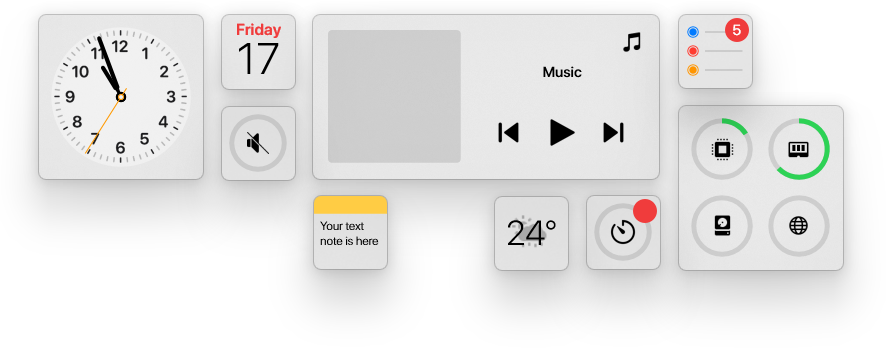
Monterey brings a macOS Big Sur-inspired widget collection to Rainmeter, combining everyday information with audio controls and small productivity tools. Its nine widgets use a shared size and theme system, so clocks, forecasts, notes and system readings can be arranged with consistent proportions and styling.
What this skin includes
- Nine widgets include notes, reminders and a countdown timer with an alarm sound.
- Each widget offers Small, Medium, Wide and Large sizes through its context menu.
- Themes are Light, Dark, Auto, Color and Blur.
- The calendar can begin its week on Monday or Sunday.
- Volume controls include per-app levels, app muting and output-device switching.
- The clock supports time zones and optional seconds.
Setup and limits
Install Rainmeter, obtain the latest Monterey release and run Monterey.rmskin. Change a widget's size through its context menu. Enter your city name to change the weather forecast location. The source links a wiki user guide and documentation for additional configuration details.
Rainmeter is required. The source says the Blur theme currently works well only on Windows 11. Music control depends on its supported player integrations, whose listed targets include Spotify and YouTube; the supplied evidence does not establish present-day operation for every player. Four interface languages are listed. Current Windows-build compatibility has not been independently verified; this research did not install or execute the skin.
Open creator source and setup instructions (source page, not a direct installer).
Creator and preview provenance
Created by creewick. Creator source · Original source preview. Documentation preview published in creewick/MontereyRainmeter; credited to creewick. Third-party wallpaper or imagery is not asserted included. Preview reproduction is owner-authorized with unverified reuse rights; this is not a creator license grant.
Source license or licensing statement; check the scope and any more specific notices before reuse.
Related skins and installation
Read the Rainmeter installation guide. Compare Mond and Wisp. These are different works, not additional editions of this skin.
Similar skins
Alternatives in the same functional category, excluding this entry. Compare their source notes before choosing.
Skin
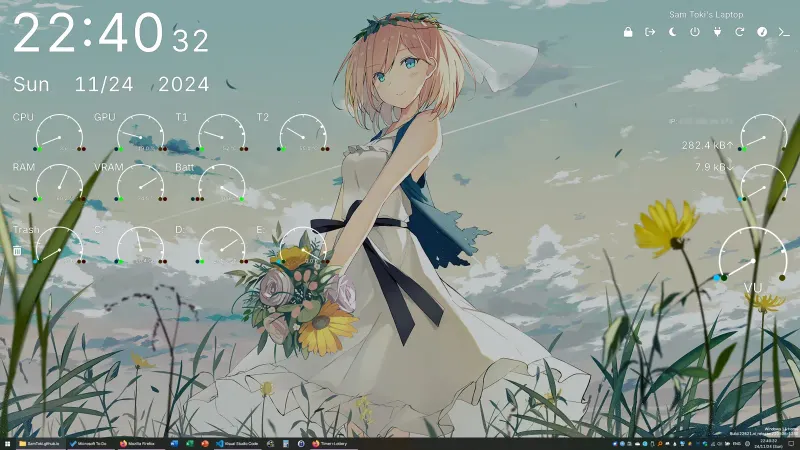
Candy Rainmeter Skin Pack
Candy Rainmeter Skin Pack combines minimalist desktop decoration with floating monitoring widgets.
Skin
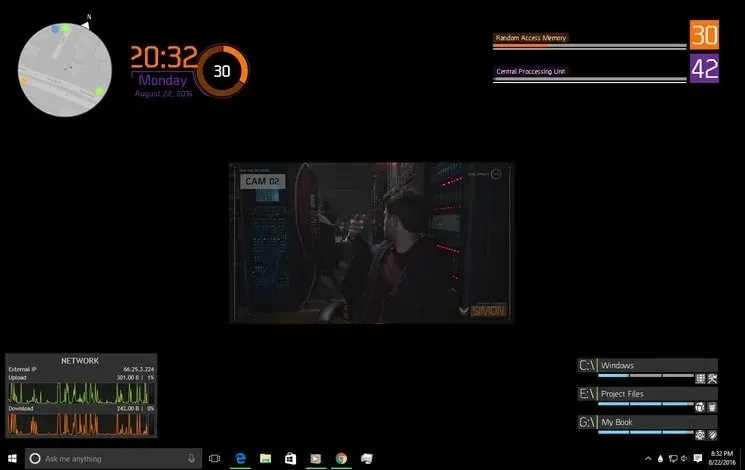
The Division Rainmeter Skin
The Division brings a desktop interface inspired by Tom Clancy's The Division into Rainmeter, pairing system readouts with a game launcher and clock.
Skin
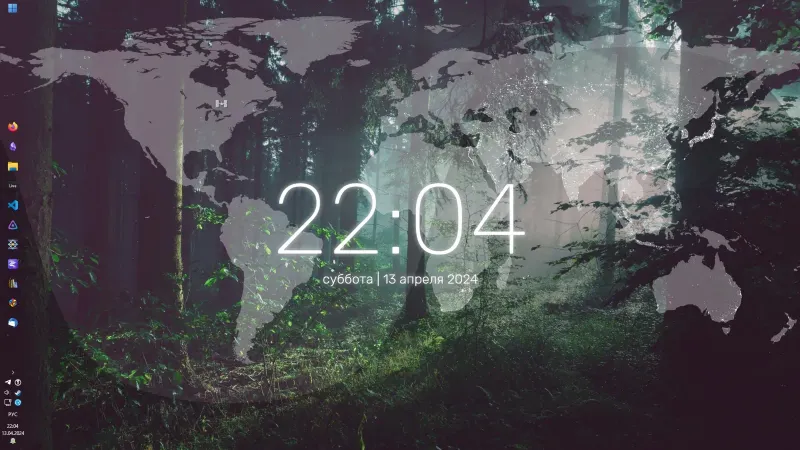
Simple Lines Rainmeter Suite
Simple Lines combines clocks, a calendar, system readings, and a world map with an ISS position marker and day–night boundary.