Inspect / Rainmeter skin
MacroMap Rainmeter Skin
MacroMap is a manually edited keyboard visualizer for keeping macro labels visible in Rainmeter.
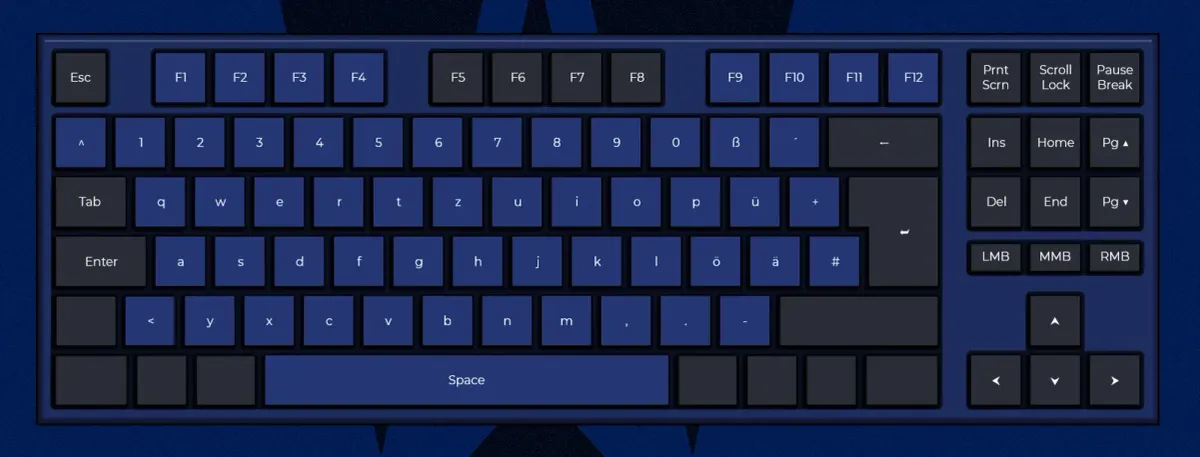
MacroMap is a manually edited keyboard visualizer for keeping macro labels visible in Rainmeter. Modifier selections switch between key-combination layers, while individual keys can show text or images. It serves as an editable keyboard reference, with context-menu controls for layout, theme, and overall width.
What this skin includes
- Supports all 64 modifier combinations.
- Left-clicking a key allows text entry.
- Scrolling over keys changes font size.
- The context menu controls width, theme, and keyboard layout.
- Keys can display images on each layer.
Setup and limits
Download the latest .rmskin release, the source's recommended installation route. Alternatively, extract the necessary folder into the Rainmeter Skins directory. Click modifiers to select a combination, then left-click keys to enter labels. Use the context menu for width, theme, and keyboard layout.
Rainmeter 4.3 is the documented requirement. This is a manual keyboard visualizer; the supplied evidence does not describe automatic shortcut discovery or macro execution. Custom theme creation uses PSD templates or requires editing templates and meter positions. Current Windows-build compatibility has not been independently verified; this research did not install or execute the skin.
Open creator source and setup instructions (source page, not a direct installer).
Creator and preview provenance
Created by AhmetAkyuez. Creator source · Original source preview. Documentation preview published in AhmetAkyuez/MacroMap; credited to AhmetAkyuez. Third-party wallpaper or imagery is not asserted included. Preview reproduction is owner-authorized with unverified reuse rights; this is not a creator license grant.
Source license or licensing statement; check the scope and any more specific notices before reuse.
Related skins and installation
Read the Rainmeter installation guide. Compare Mond and Wisp. These are different works, not additional editions of this skin.
The displayed preview is a still frame from the creator GIF, resized and re-encoded; use the original preview link to see the animation.
Similar skins
Alternatives in the same functional category, excluding this entry. Compare their source notes before choosing.
Skin
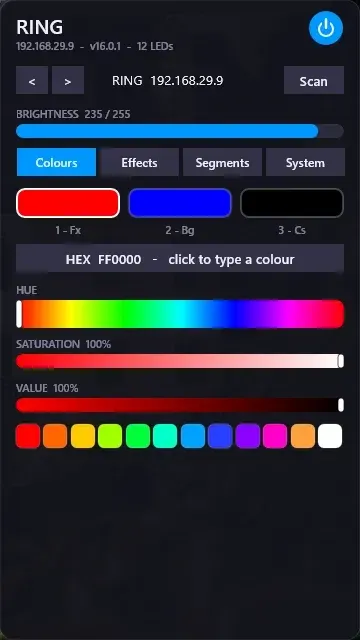
WLED Control for Rainmeter
WLED Control puts lighting controls into a tabbed Rainmeter interface rather than a conventional desktop information widget.

Skin
Cryptocoins Widget for Rainmeter
Cryptocoins Widget is a Rainmeter cryptocurrency display fork with compact widget variations.


Skin
Minimal To-Do List Rainmeter Skin
Minimal To-Do List presents tasks in a dark Rainmeter widget with rounded corners and vector graphics.