Inspect / Rainmeter skin
Kimai Widget Rainmeter Skin
Kimai Widget brings controls for a self-hosted Kimai time tracker into Rainmeter.

Kimai Widget brings controls for a self-hosted Kimai time tracker into Rainmeter. It lists projects and activities, shows the active selection, and provides timer start and stop controls. Two supplied appearances follow either Kimai’s default web interface or the author’s Infinimal hardware-monitor styling.
What this skin includes
- Lists Kimai projects and activities.
- Shows the currently active project and activity.
- Provides timer start and stop buttons.
- Includes kimai-default and infinimal visual variants.
- The RMSKIN package includes the kimai-cmd executable.
- Optional scheduled tasks stop tracking on idle or logoff.
Setup and limits
Install Kimai on a server and install Rainmeter, then double-click the release RMSKIN package. Rename kimai-cmd\settings.ini.example to settings.ini and edit it for your server. Click reload to retrieve projects and tasks. Optionally edit the executable path in kimaiStop.xml and run installTask.bat for idle/logoff stopping.
This skin requires a configured Kimai server and uses the bundled kimai-cmd program. Automatic idle/logoff stopping depends on the optional scheduled task. The source notes that displayed data may be incorrect when Rainmeter loads; its documented remedy is the reload button. Current Windows-build compatibility has not been independently verified; this research did not install or execute the skin.
Open creator source and setup instructions (source page, not a direct installer).
Creator and preview provenance
Created by infeeeee. Creator source · Original source preview. Documentation preview published in infeeeee/kimai-widget; credited to infeeeee. Third-party wallpaper or imagery is not asserted included. Preview reproduction is owner-authorized with unverified reuse rights; this is not a creator license grant.
Source license or licensing statement; check the scope and any more specific notices before reuse.
Related skins and installation
Read the Rainmeter installation guide. Compare Mond and Wisp. These are different works, not additional editions of this skin.
Similar skins
Alternatives in the same functional category, excluding this entry. Compare their source notes before choosing.
Skin
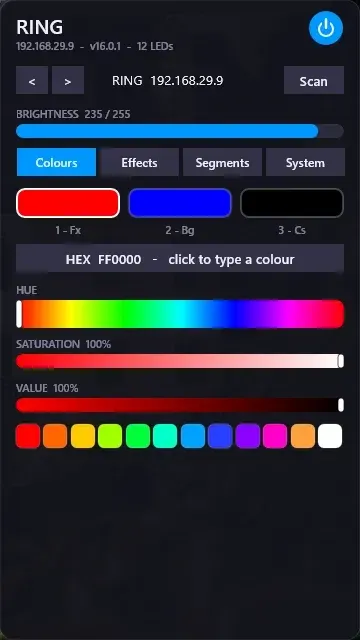
WLED Control for Rainmeter
WLED Control puts lighting controls into a tabbed Rainmeter interface rather than a conventional desktop information widget.

Skin
Cryptocoins Widget for Rainmeter
Cryptocoins Widget is a Rainmeter cryptocurrency display fork with compact widget variations.


Skin
Minimal To-Do List Rainmeter Skin
Minimal To-Do List presents tasks in a dark Rainmeter widget with rounded corners and vector graphics.