Inspect / Rainmeter skin
JSMeter10 Rainmeter Skin
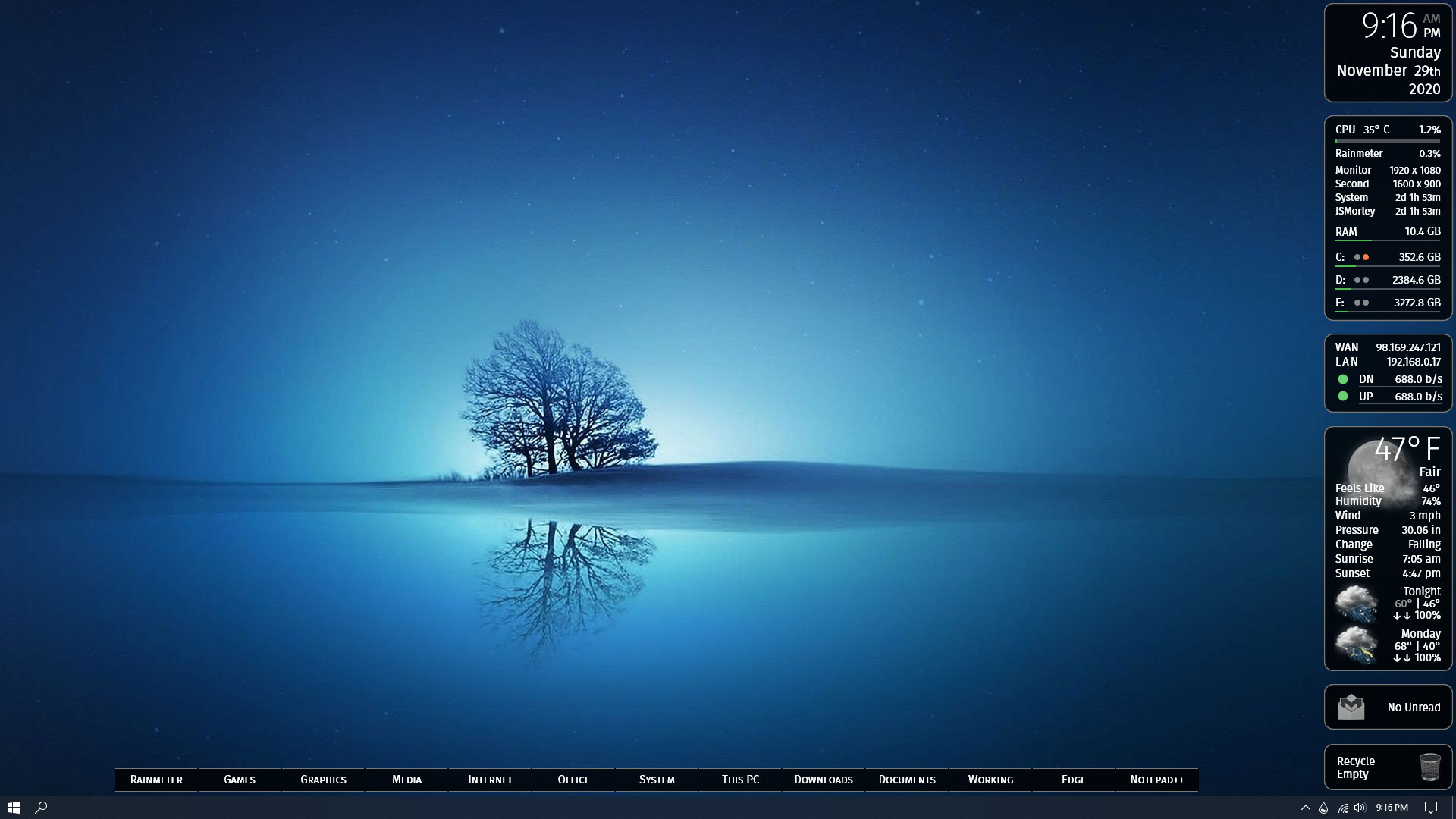
JSMeter10 combines system readings, networking, weather, email notifications, and desktop utilities in a Rainmeter suite.
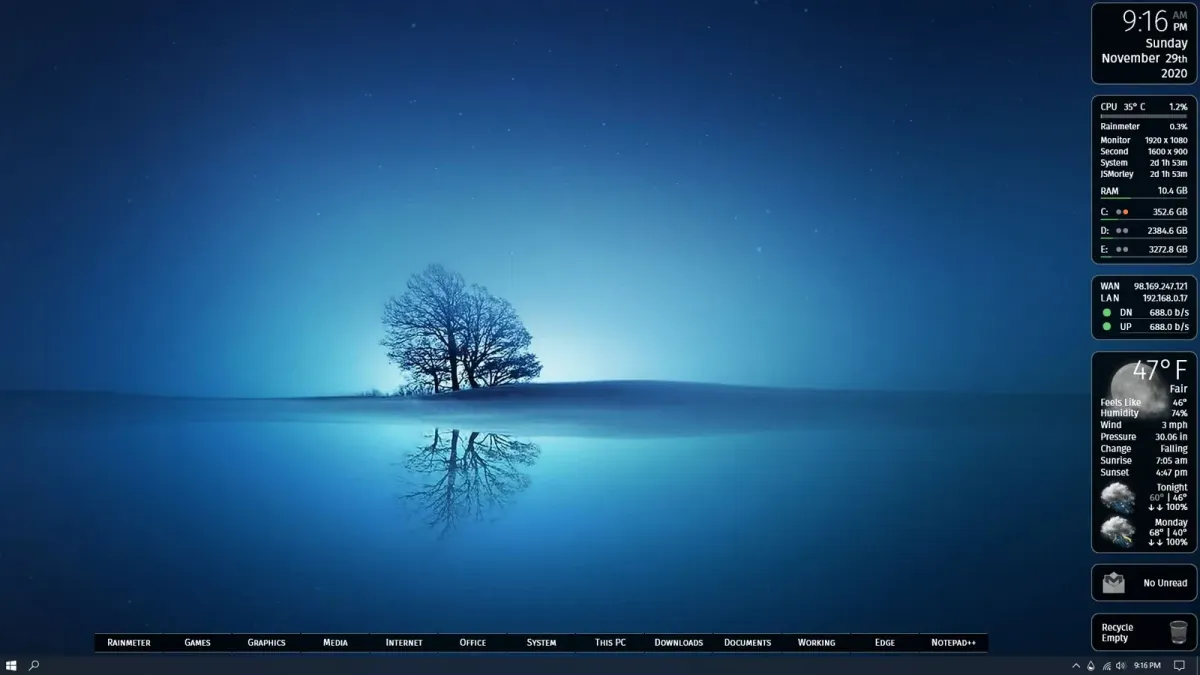
JSMeter10 combines system readings, networking, weather, email notifications, and desktop utilities in a Rainmeter suite. A Welcome skin controls which components are shown and their label and value colors, while individual modules provide tooltips, spoken information, storage indicators, and a customizable launcher.
What this skin includes
- ClockWeather speaks the date, time, and current weather when clicked.
- System readings include CPU usage, uptime, RAM, and a top process.
- Drive indicators cover space and read/write activity for three drives.
- Network displays WAN and LAN addresses plus transfer rates.
- GMailNotify shows unread counts and message-subject tooltips.
- Includes a Recycle Bin control and customizable dock.
Setup and limits
Download and install the latest .rmskin release. Installation loads the Welcome skin, where individual skins can be toggled and label and value colors selected. Open @Resources from Welcome to change settings. For CPU temperature configuration, consult the skin file’s HWInfo instructions.
CPU temperature requires HWInfo to be running. Weather uses the weather.com JSON API, and email notifications depend on a Gmail inbox. The supplied evidence does not establish current API access conditions or explain Gmail authentication setup. Current Windows-build compatibility has not been independently verified; this research did not install or execute the skin.
Open creator source and setup instructions (source page, not a direct installer).
Creator and preview provenance
Created by jsmorley. Creator source · Original source preview. Creator/source documentation preview from jsmorley/JSMeter10. Background artwork or third-party content in the image is not asserted to be included. Preview reproduction is owner-authorized with unverified reuse rights; this is not a creator license grant.
Source license or licensing statement; check the scope and any more specific notices before reuse.
Related skins and installation
Read the Rainmeter installation guide. Compare Mond and Wisp. These are different works, not additional editions of this skin.
Similar skins
Alternatives in the same functional category, excluding this entry. Compare their source notes before choosing.
Skin
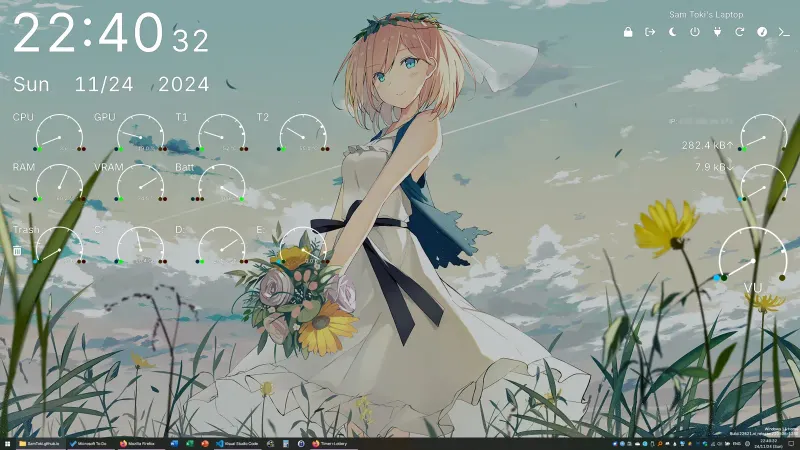
Candy Rainmeter Skin Pack
Candy Rainmeter Skin Pack combines minimalist desktop decoration with floating monitoring widgets.
Skin
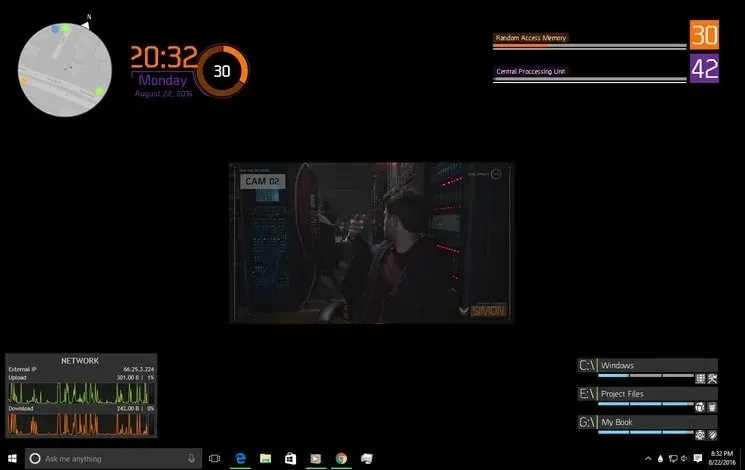
The Division Rainmeter Skin
The Division brings a desktop interface inspired by Tom Clancy's The Division into Rainmeter, pairing system readouts with a game launcher and clock.
Skin
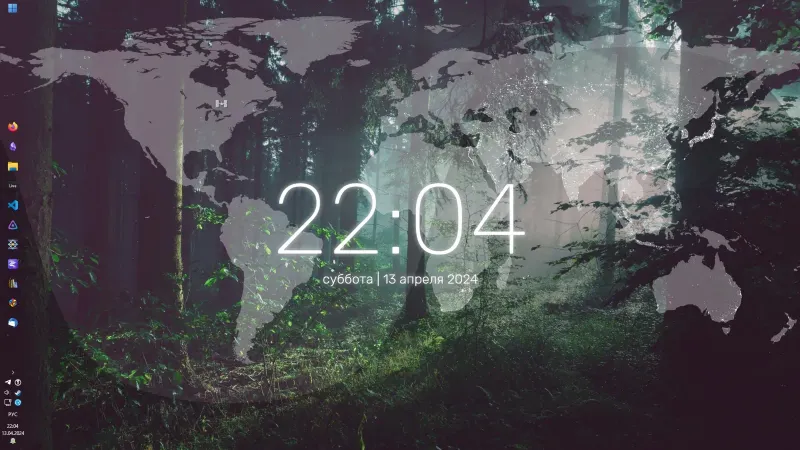
Simple Lines Rainmeter Suite
Simple Lines combines clocks, a calendar, system readings, and a world map with an ISS position marker and day–night boundary.