Inspect / Rainmeter skin
HUD Circle Rainmeter Skin
HUD Circle by hekee adds an animated circular effect to the desktop rather than reporting system data.

HUD Circle by hekee adds an animated circular effect to the desktop rather than reporting system data. The description documents direct controls for toggling the animation and choosing its color, along with a speed setting that changes how quickly the visual effect moves.
Source-listed appearance and features
The following details are reported by the source listing, not established by a DeskSpruce installation test.
- Displays an animated circular effect.
- A left double-click toggles animation on or off.
- Right-clicking provides color selection.
- Animation speed can be increased or decreased.
Setup and limits
The supplied listing includes an RMSKIN link; follow the listed source instructions for installation. Left-double-click to toggle the animation and right-click to choose a color. Speed options are mentioned, but the exact route to those options must be checked on the source page.
The evidence describes a decorative animation, not an audio visualizer or system meter. It does not specify speed ranges, color-selection mechanics or resource use, so no performance claims are supported. Current Windows-build compatibility has not been independently verified; this research did not install or execute the skin.
Open source listing and package link (source page, not a direct installer).
Creator and preview provenance
Created by hekee. Source listing · Original source preview. Preview published by VisualSkins for HUD Circle Rainmeter Skin, credited to hekee; wallpaper and other desktop items are not asserted to be included. Preview reproduction is owner-authorized with unverified reuse rights; this is not a creator license grant.
Related skins and installation
Read the Rainmeter installation guide. Compare Mond and Wisp. These are different works, not additional editions of this skin.
Similar skins
Alternatives in the same functional category, excluding this entry. Compare their source notes before choosing.
Skin
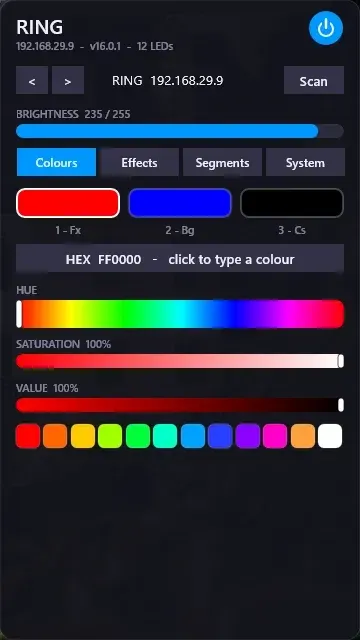
WLED Control for Rainmeter
WLED Control puts lighting controls into a tabbed Rainmeter interface rather than a conventional desktop information widget.

Skin
Cryptocoins Widget for Rainmeter
Cryptocoins Widget is a Rainmeter cryptocurrency display fork with compact widget variations.


Skin
Minimal To-Do List Rainmeter Skin
Minimal To-Do List presents tasks in a dark Rainmeter widget with rounded corners and vector graphics.