Inspect / Rainmeter skin
BitmapCPU Rainmeter Skin
BitmapCPU displays CPU percentage usage using a bitmap-based design with three large boxes and bold figures.

BitmapCPU displays CPU percentage usage using a bitmap-based design with three large boxes and bold figures. It concentrates on a single system measurement, with green or red figures and an uncomplicated background rather than the multiple readouts found in a broader system-monitoring suite.
Source-listed appearance and features
The following details are reported by the source listing, not established by a DeskSpruce installation test.
- Created by jsmorley.
- Displays CPU usage as a percentage.
- Uses a bitmap meter with three large boxes.
- Figures can be shown in green or red.
Setup and limits
The directory lists a BitmapCPU RMSKIN package. Follow the listed source instructions for installation. The evidence mentions red and green figure options but does not explain their selection, so consult the source page for appearance configuration and other setup details.
The description does not explain the role of each box or specify per-core readings. It provides no refresh interval, measurement methodology, tested overhead or additional dependency information. Current Windows-build compatibility has not been independently verified; this research did not install or execute the skin.
Open source listing and package link (source page, not a direct installer).
Creator and preview provenance
Created by jsmorley. Source listing · Original source preview. Preview published by VisualSkins for BitmapCPU Rainmeter Skin, credited to jsmorley; wallpaper and other desktop items are not asserted to be included. Preview reproduction is owner-authorized with unverified reuse rights; this is not a creator license grant.
Related skins and installation
Read the Rainmeter installation guide. Compare System Information and SysDash. These are different works, not additional editions of this skin.
Similar skins
Alternatives in the same functional category, excluding this entry. Compare their source notes before choosing.
Skin
GalaxyS Rainmeter Skin
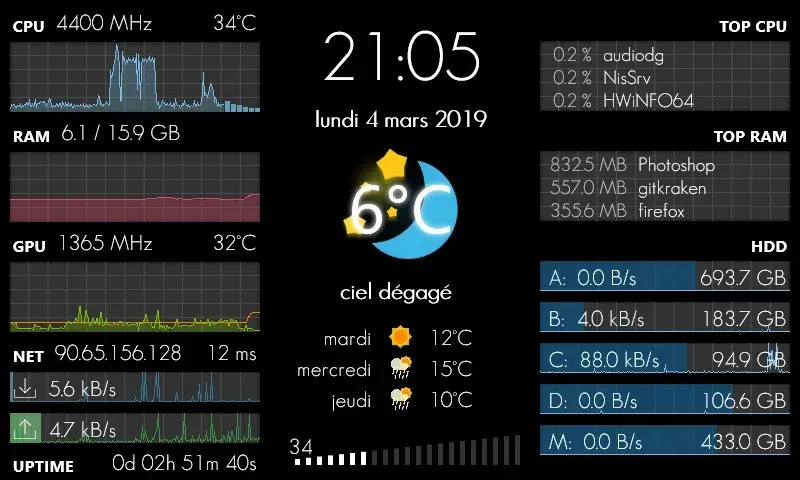
GalaxyS is a compact monitoring dashboard designed around an 800 × 480 screen, originally a Galaxy S used through AirDisplay.
Skin
Eccentricity0 Rainmeter Skin
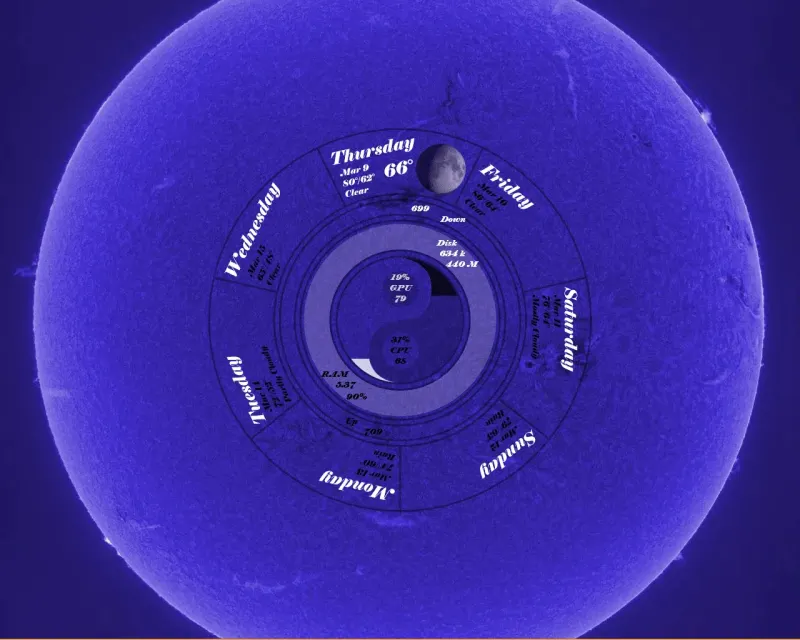
Eccentricity0 arranges hardware and network readings in a circular composition, using rings, arcs and a yin-yang image rather than conventional dashboard panels.

Skin
Service Monitor Rainmeter Skin
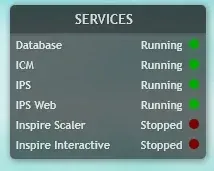
Service Monitor is a Rainmeter skin for watching selected Windows services rather than general CPU or memory readings.