Inspect / Rainmeter skin
AI Session Usage Rainmeter Skin
AI Session Usage includes a Rainmeter card showing subscription-limit percentages, progress bars, and reset times reported by Claude Code and the Codex CLI.
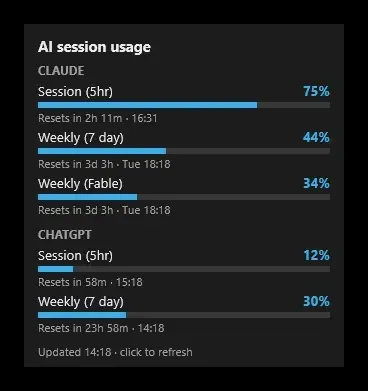
AI Session Usage includes a Rainmeter card showing subscription-limit percentages, progress bars, and reset times reported by Claude Code and the Codex CLI. Its Windows skin refreshes on a click or a timed interval. This summary concerns the Rainmeter edition, not the separate Plasma or Windows Widgets Board versions.
What this skin includes
- Shows reported subscription usage percentages, bars, and reset times.
- Refreshes every five minutes by default and on click.
- Uses Python 3.9 or newer and Rainmeter 4.5 or newer.
- Rainmeter settings are edited as skin variables.
- Windows reset times use 24-hour formatting.
- Supports a Claude status-line source limited to five-hour and weekly values.
Setup and limits
Install Rainmeter 4.5 or newer and Python 3.9 or newer available as python on PATH. Sign in to Claude Code or the Codex CLI. Download the RMSKIN and SHA-256 file, compare them using the documented PowerShell hash check, then open the package. Edit skin variables through Manage, save, and refresh.
Requires a supported subscription login; API-key logins have no subscription limits to display. Codex rows are not ordinary ChatGPT chat message caps. Experimental or client-specific requests can change. Rainmeter lacks Plasma’s row ordering, panel form, and settings pages; status-line data updates only when Claude Code supplies it. Current Windows-build compatibility has not been independently verified; this research did not install or execute the skin.
Open creator source and setup instructions (source page, not a direct installer).
Creator and preview provenance
Created by chaybits. Creator source · Original source preview. Documentation preview published in chaybits/ai-session-usage; credited to chaybits. Third-party wallpaper or imagery is not asserted included. Preview reproduction is owner-authorized with unverified reuse rights; this is not a creator license grant.
Source license or licensing statement; check the scope and any more specific notices before reuse.
Related skins and installation
Read the Rainmeter installation guide. Compare Mond and Wisp. These are different works, not additional editions of this skin.
Similar skins
Alternatives in the same functional category, excluding this entry. Compare their source notes before choosing.
Skin
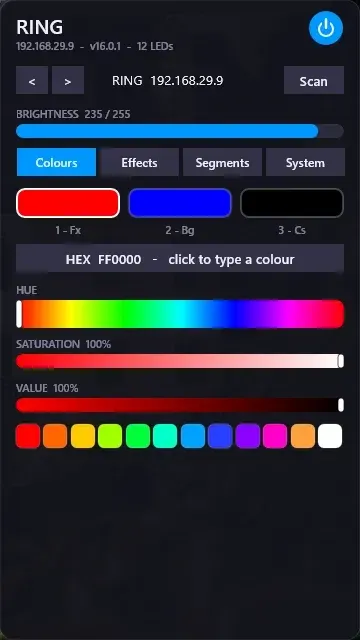
WLED Control for Rainmeter
WLED Control puts lighting controls into a tabbed Rainmeter interface rather than a conventional desktop information widget.

Skin
Cryptocoins Widget for Rainmeter
Cryptocoins Widget is a Rainmeter cryptocurrency display fork with compact widget variations.

Skin
Minimal To-Do List Rainmeter Skin
Minimal To-Do List presents tasks in a dark Rainmeter widget with rounded corners and vector graphics.