Inspect / Windows cursor set
Material Design Cursors by ThIsLinked for Windows
Choose ThIsLinked’s static Material Design cursor family in light or dark, with Regular, XL and XXL folders and a compiled Windows source ZIP.
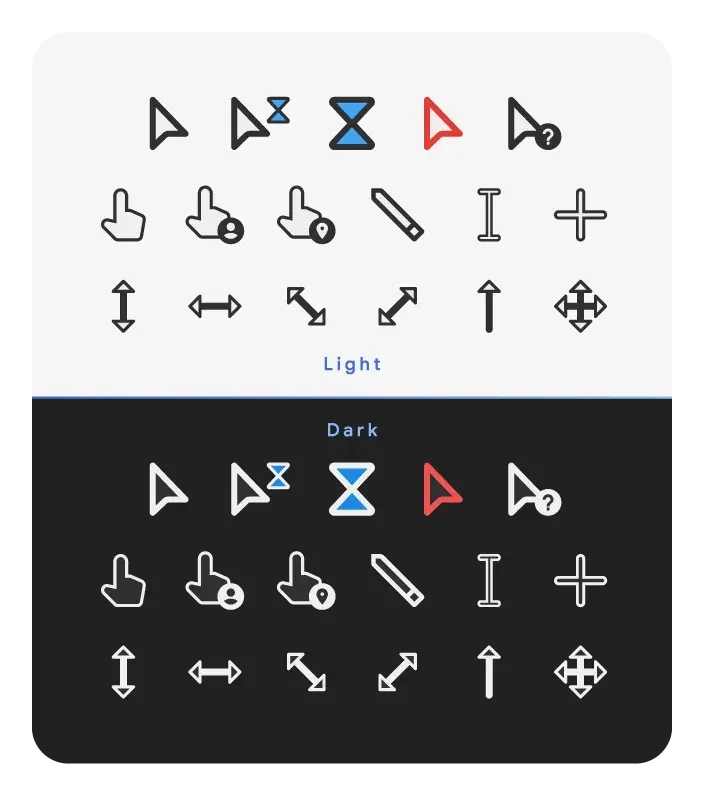
Get the author’s repository ZIP
ThIsLinked’s Material Design Cursors is a static Windows cursor family with Light and Dark treatments and three size folders: Regular, XL and XXL. The download here is the official repository’s source ZIP. It contains already-compiled CUR files and INF installers under Resources, so it is not a request to compile a cursor project before use.
Choose one folder, not every variant
The source tree separates Resources/Dark and Resources/Light, each with Regular size, XL size and XXL size subfolders. The creator describes Regular as medium, XL as large and XXL as very large. Exact rendered sizes at your Windows scaling setting are not independently established here.
Each observed size folder contains 17 CUR files and an install.inf. The set includes dedicated person and location pointers as well as conventional arrow, text, move and resize roles. Busy and working are still static artwork: the author explicitly states that the package does not animate. A busy-role filename is not proof of motion.
Install only the treatment you intend to keep
- Extract the repository ZIP and open the desired Light or Dark size folder under Resources.
- Save your existing pointer scheme. The Windows cursor guide explains how to keep a restoration path.
- For manual setup, assign the matching CUR files through Mouse Properties → Pointers → Browse. Save a clearly named scheme for the treatment you selected.
- For the author’s installer route, inspect that folder’s
install.infbefore choosing Install. The source writes current-user pointer assignments and copies artwork into the Windows Cursors directory; it is not merely importing a preview.
Why installing every size is not the best comparison
The observed Dark Regular installer names its scheme Material Dark and its destination Material Dark. Size is not included in those names. Installing another size should therefore not be assumed to preserve the earlier size as a separate named choice. If you want to compare sizes without relying on that behavior, keep the extracted folders and create your own manual schemes with distinct names.
The source ZIP follows the repository’s master branch and can change. It is not a fixed numbered release, and DeskSpruce has not inspected the downloaded archive, applied its installer or tested a Windows build. The author credits jepricreations, also known as rosea92, for the original artistic idea; this is ThIsLinked’s separate project, not a claim to distribute a paid cursor package by another creator.
Compare before choosing
Choose this family if you want a coherent all-static pointer design with explicit light/dark and size folders. Compare Bibata for Modern versus Original shapes, or XCursor Pro for a different outlined family. None of these choices requires Rainmeter.
Artwork and source credit
Creator: ThIsLinked. The repository includes its preview banner and editable banner artwork source and directs readers to its GPL-2.0 license. DeskSpruce displays a resized/re-encoded author preview, not the byte-identical source banner, under that project license; corresponding artwork sources and the license notice remain linked. This evidence applies to ThIsLinked’s repository banner and does not establish permission for any separate paid jepricreations artwork.
Primary sources and download
Similar cursor sets
Alternatives in the same functional category, excluding this entry. Compare their source notes before choosing.
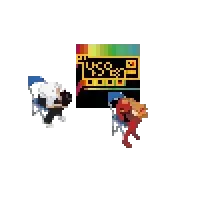
Cursor set
Neon Genesis Evangelion Cursors for Windows
Neon Genesis Evangelion by Tenseqrity: 13 static CUR files and 0 animated ANI files, with source credit and practical Windows setup notes.
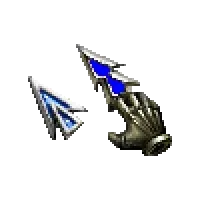
Cursor set
CABAL ONLINE Cursors for Windows
CABAL ONLINE by THTH: 14 static CUR files and 0 animated ANI files, with source credit and practical Windows setup notes.
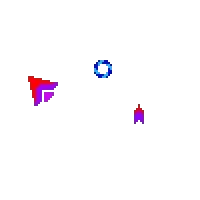
Cursor set
Rythy Cursors for Windows
Rythy by Golden Mysticat: 17 static CUR files and 0 animated ANI files, with source credit and practical Windows setup notes.