Inspect / Rainmeter skin
Sound-O-meter Rainmeter Skin
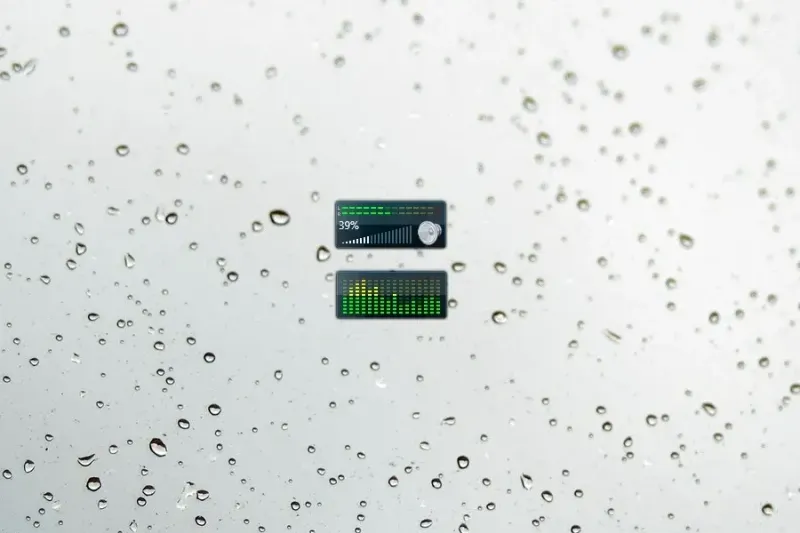
Sound-O-meter presents sound levels through a speedometer-style Rainmeter display.

Sound-O-meter presents sound levels through a speedometer-style Rainmeter display. Its configuration exposes audio sensitivity, an optional text readout, and the update interval. The source also flags differences in reported volume between applications, making calibration and refresh settings important documented aspects of this particular audio gauge.
What this skin includes
- Uses a speedometer concept to display sound.
- Removing [String_Value] removes the text readout.
- RMSGain in [MeasureAudio] adjusts sensitivity.
- Update in [Rainmeter] controls the refresh interval.
- The source reports differing volume values between applications.
Setup and limits
Edit RMSGain in [MeasureAudio] to adjust sensitivity. Remove [String_Value] if the text readout is unwanted. To change frame rate, edit Update in [Rainmeter]; the source gives Update = 1000 divided by the desired frames per second. The source page must be checked for installation instructions.
The author warns that the high frame rate can use substantial CPU resources and suggests lowering it through Update. Reported volume can differ significantly between applications. The supplied evidence does not identify additional audio dependencies or calibration standards. Current Windows-build compatibility has not been independently verified; this research did not install or execute the skin.
Open creator source and setup instructions (source page, not a direct installer).
Creator and preview provenance
Created by EverMeme1138. Creator source · Original source preview. Documentation preview published in EverMeme1138/Sound-O-meter; credited to EverMeme1138. Third-party wallpaper or imagery is not asserted included. Preview reproduction is owner-authorized with unverified reuse rights; this is not a creator license grant.
Source license or licensing statement; check the scope and any more specific notices before reuse.
Related skins and installation
Read the Rainmeter installation guide. Compare Mond and Wisp. These are different works, not additional editions of this skin.
Similar skins
Alternatives in the same functional category, excluding this entry. Compare their source notes before choosing.

Skin
DDLC Visualizer Rainmeter Skin
DDLC Visualizer is a Rainmeter skin pack built around the four main characters from Doki Doki Literature Club.

Skin
Sphinctualizer Rainmeter Skin
Sphinctualizer turns audio into two circular rings whose diameter and size respond to sound.