Inspect / Rainmeter skin
Power Controls Rainmeter skin
A five-button power-control strip with a listed waiting period and cancel button. Creator unconfirmed; command behavior needs review before use.
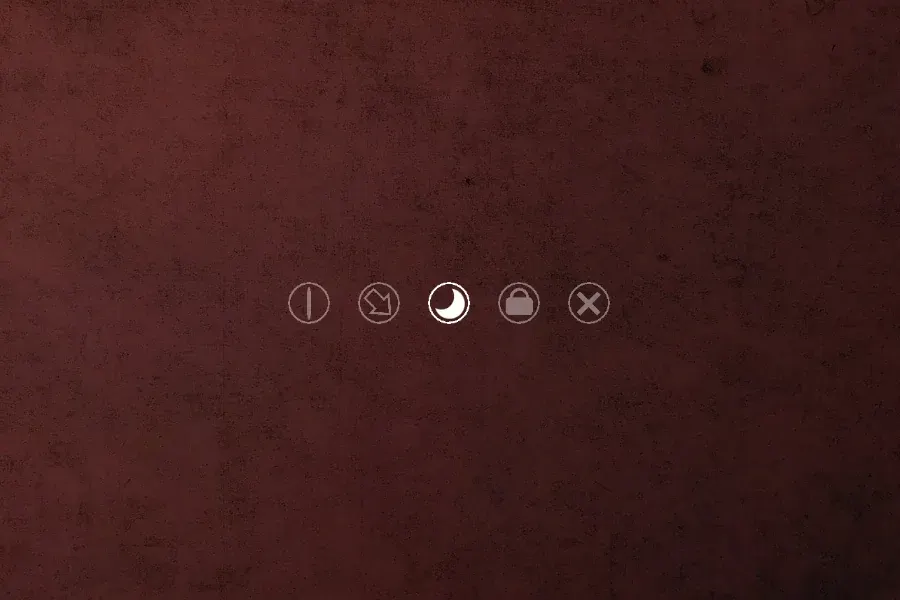
Power Controls is a Rainmeter power-button strip with a cancel control. VisualSkins describes five buttons ordered from left to right: shutdown, restart, sleep, a sign-out or lock control, and cancel. The listing also states a ten-second waiting period.
That compact arrangement is useful if you want session controls grouped together instead of scattered across the desktop. The listing's description leaves the fourth button ambiguous: it says sign out or lock, which are different actions. Check the installed configuration before relying on that button.
What the cancel description does and does not mean
A listed waiting period and cancel button may be reasons to consider this skin, but they are not a safety guarantee. Save open documents before using any control. Do not assume every action waits ten seconds, that cancel always succeeds, or that Windows will display an additional confirmation.
Place the strip somewhere you do not normally click or drag files. Make sure you can distinguish cancel from the power actions at your normal viewing distance. If the buttons are unclear, leave the skin unloaded until you have read its configuration and any included instructions.
Install and review the controls
You need Rainmeter installed on Windows. The RMSKIN file below is the skin package, not a replacement for Rainmeter.
- Download
power-controls.rmskinand open it with Rainmeter's Skin Installer. - Review the package contents and preserve backups if the installer replaces an existing copy.
- Install, then use Rainmeter's Manage window to find and load the configuration if it does not appear automatically.
- Read the installed action definitions before using the strip, particularly the fourth button and the cancel behavior. Avoid testing by clicking power buttons on a working session.
The installation guide covers the general procedure. Back up the skin folder before making changes; the customization guide explains how to refresh edits. Use Manage to unload the widget without interacting with its buttons.
Compare the alternative
Minimal Shutdown documents six actions, including a separately named hybrid shutdown, plus four color choices. Power Controls is described instead as a five-button strip that includes cancel. Choose based on the controls you actually need, then review the downloaded configuration before putting them within easy reach.
Source and verification note: VisualSkins distributes this file but does not identify its creator in the selected listing. The creator remains unconfirmed; a similarly named work is not sufficient attribution. The button order and ten-second period are listing claims. We have not installed the package or executed its power commands.
Common questions
Does the fourth button lock Windows or sign out?
The listing does not resolve that distinction. Inspect the downloaded configuration before using it; signing out can close applications, while locking keeps the session open.
Does cancel make accidental clicks harmless?
No. Treat cancel as a documented feature to verify, not a promise that an action can always be stopped.
Download and source
Download Power Controls (.rmskin)
See the source listing or explore more desktop controls.