Inspect / Rainmeter skin
kwcpu Rainmeter Skin
Compact per-processor bars and a physical-memory wheel, positioned as a Rainmeter overlay rather than a replacement taskbar.
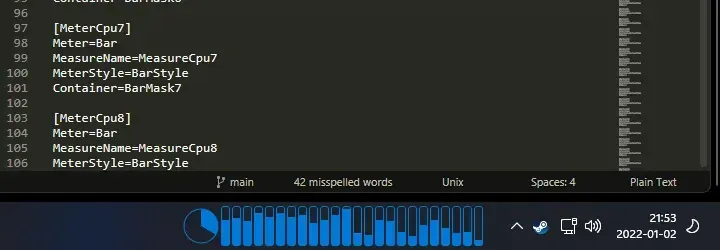
kwcpu is a compact CPU-and-memory display designed to sit over the default Windows 11 taskbar. Its creator screenshot puts a row of narrow blue bars beside a circular gauge. It is still a Rainmeter window: it does not replace Explorer or inject a new taskbar component.
View kwcpu source and releases
Read the bars and wheel separately
The observed INI defines CPU measures with Processor=1 through Processor=32. It reads NUMBER_OF_PROCESSORS to decide which meters to enable. Treat the advertised 32-core support as a 32-slot configuration limit, not proof that it distinguishes physical cores from hardware threads on every CPU. The round gauge is physical-memory usage: the source divides used memory by total memory. It is not an overall CPU-utilization dial.
Positioning is part of the setup
The source sets a 40-pixel skin height and DefaultAlwaysOnTop=2. This lets a user place it above the taskbar, but does not reserve system-tray space or guarantee correct alignment after DPI, taskbar or display-layout changes. Place it manually on the intended monitor and check whether it covers icons you still need. Desktop overlays are distinct from Windows shell integrations.
Double-clicking the meter or using its custom Task Manager context action launches taskmgr.exe according to the source. DeskSpruce has read that action, not executed it. Current Windows build behavior, click handling and hardware accuracy have not been tested.
Source and customization
The creator repository contains the skin under src/Skins/kwcpu, with Variables.inc beside kwcpu.ini. Its variables include Color, WheelRadius, BarWidth, BarHeight, BarRadius and Padding. Preserve both files if using the source folder; do not run the repository's packaging helper merely to read those values. Use the source page to inspect release choices: this button is not a direct RMSKIN download.
Refresh after backed-up edits and keep bar dimensions, mask shape and spacing coordinated. The resize guide explains why changing one width may clip another meter. CPU usage notes distinguish processor meters from temperature sensors.
Compare monitoring layouts
SysDash provides a broader dashboard, while System Information offers a different telemetry layout. kwcpu is the tighter taskbar-adjacent option. No performance, safety or best-in-class claim follows from its small visible size. Unload the configuration in Manage to remove the overlay without changing the Windows taskbar.
Source, preview and license
Creator: Jay Oster / parasyte. This is an authentic source preview, not an independently tested installation. The displayed image is resized and re-encoded as WebP. No generated resource screenshot was used.
Creator source and documentation · Exact original preview · Project license
Full source-preview license notice
Copyright 2022 Jay Oster

Permission is hereby granted, free of charge, to any person obtaining a copy of
this software and associated documentation files (the "Software"), to deal in
the Software without restriction, including without limitation the rights to
use, copy, modify, merge, publish, distribute, sublicense, and/or sell copies of
the Software, and to permit persons to whom the Software is furnished to do so,
subject to the following conditions:

The above copyright notice and this permission notice shall be included in all
copies or substantial portions of the Software.

THE SOFTWARE IS PROVIDED "AS IS", WITHOUT WARRANTY OF ANY KIND, EXPRESS OR
IMPLIED, INCLUDING BUT NOT LIMITED TO THE WARRANTIES OF MERCHANTABILITY, FITNESS
FOR A PARTICULAR PURPOSE AND NONINFRINGEMENT. IN NO EVENT SHALL THE AUTHORS OR
COPYRIGHT HOLDERS BE LIABLE FOR ANY CLAIM, DAMAGES OR OTHER LIABILITY, WHETHER
IN AN ACTION OF CONTRACT, TORT OR OTHERWISE, ARISING FROM, OUT OF OR IN
CONNECTION WITH THE SOFTWARE OR THE USE OR OTHER DEALINGS IN THE SOFTWARE.
Similar skins
Alternatives in the same functional category, excluding this entry. Compare their source notes before choosing.
Skin
GalaxyS Rainmeter Skin
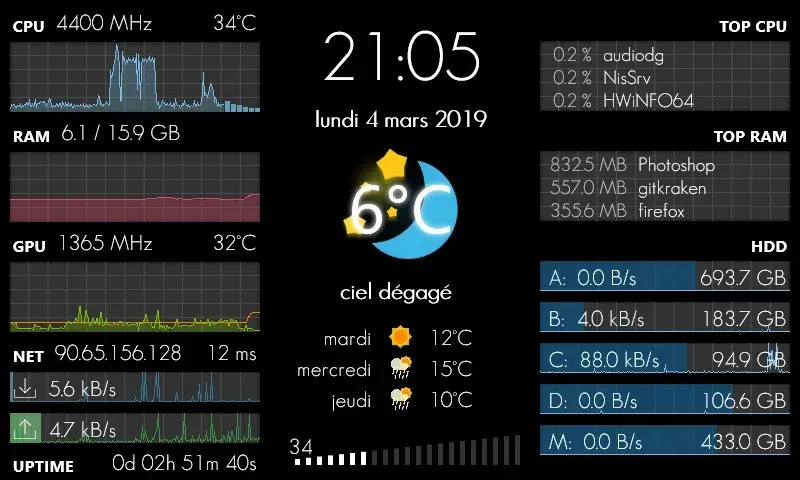
GalaxyS is a compact monitoring dashboard designed around an 800 × 480 screen, originally a Galaxy S used through AirDisplay.
Skin
Eccentricity0 Rainmeter Skin
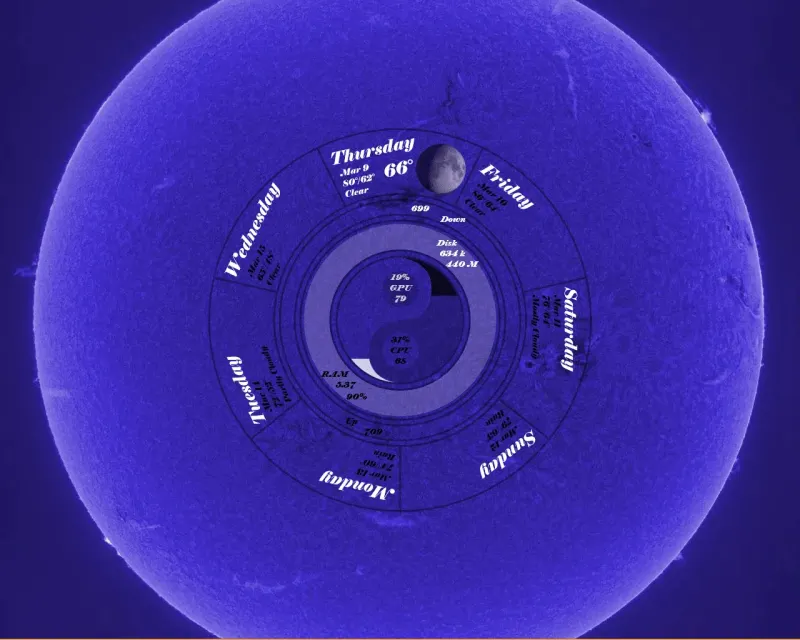
Eccentricity0 arranges hardware and network readings in a circular composition, using rings, arcs and a yin-yang image rather than conventional dashboard panels.

Skin
Service Monitor Rainmeter Skin
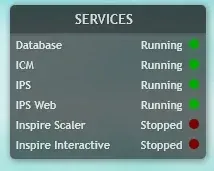
Service Monitor is a Rainmeter skin for watching selected Windows services rather than general CPU or memory readings.