Inspect / Rainmeter skin
Hexa Core Rainmeter Skin
Six hexagonal shortcut slots surround a central return control. The source also describes changing the core color and colors that follow the background.

- Creator credit
- musthaf9
- Package
- hexa-core.rmskin
- Requires
- Rainmeter; exact minimum version not established
What to compare
Six hexagonal shortcut slots surround a central return control. The source also describes changing the core color and colors that follow the background.
Setup and limitations
The six-slot arrangement is useful when you want a deliberately limited group, not an unlimited scrolling dock. Background synchronization is source-described; its refresh behavior has not been tested here.
Follow the .rmskin installation guide, then load only the components you need. Use the layout and configuration guide before editing files.
Source and verification
The Hexa Core source listing provides the credited creator, stated features and existing preview. Creator credit: musthaf9. We have not installed or benchmarked this package. Source-listed Windows support is not independently tested compatibility; wallpaper and other preview elements may be separate works.
Compare alternatives
Similar skins
Alternatives in the same functional category, excluding this entry. Compare their source notes before choosing.

Skin
Team Fortress Rainmeter Skin
A Team Fortress-inspired shortcut skin with game-themed icons that the source describes as customizable.
Skin
Pop Menu Rainmeter Skin
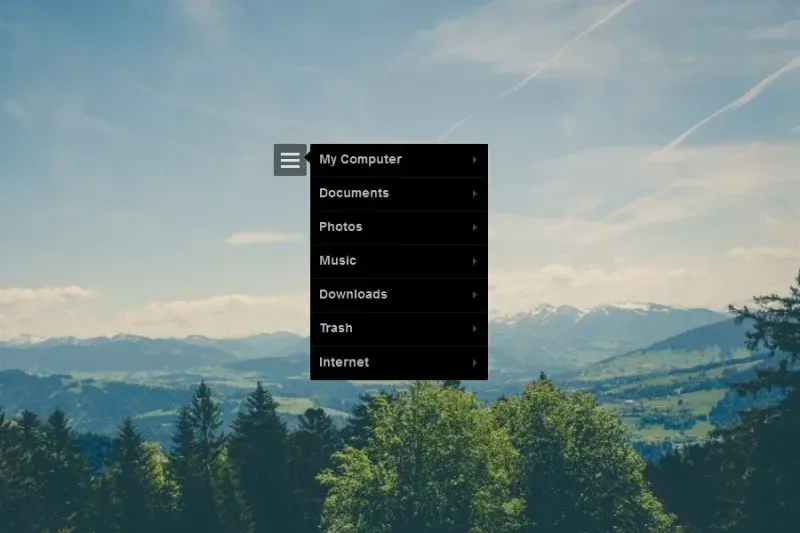
A click-open shortcut menu with black and white variants and source-listed computer, documents, photos and music targets.

Skin
Pentacle Launcher Rainmeter Skin
A pentacle-shaped expandable launcher with a moving blue-and-orange ring described by the source.