Inspect / Rainmeter skin
GitHubCalendar Rainmeter Skin
GitHubCalendar brings a GitHub contribution calendar onto the Rainmeter desktop.

GitHubCalendar brings a GitHub contribution calendar onto the Rainmeter desktop. Alongside the calendar view, it includes a more compact variant limited to the current week's contributions. Its data pipeline combines an external collection program with a Lua script that supplies information to the skin.
What this skin includes
- Displays GitHub profile contribution data.
- Includes a condensed variant showing only the current week's contributions.
- A C# program uses Selenium WebDriver and phantomJS to collect profile data.
- Collected data passes through data.txt to a Lua script.
- A bottom-right control triggers calendar-data updates.
Setup and limits
With Rainmeter installed, open the .rmskin package to install, configure, and load the skin. In the configuration window, enter your GitHub username and press Enter, then use the indicated load button. To update calendar data later, left-click the control in the skin's bottom-right corner.
The documented implementation depends on Rainmeter, a C# collection program, Selenium WebDriver, phantomJS, and Lua processing of data.txt. Update-process optimization and adjustable calendar scaling are listed as work in progress, not established features. Current Windows-build compatibility has not been independently verified; this research did not install or execute the skin.
Open creator source and setup instructions (source page, not a direct installer).
Creator and preview provenance
Created by tterb. Creator source · Original source preview. Creator/source documentation preview from tterb/GitHubCalendar. Background artwork or third-party content in the image is not asserted to be included. Preview reproduction is owner-authorized with unverified reuse rights; this is not a creator license grant.
Source license or licensing statement; check the scope and any more specific notices before reuse.
Related skins and installation
Read the Rainmeter installation guide. Compare Mond and Wisp. These are different works, not additional editions of this skin.
Similar skins
Alternatives in the same functional category, excluding this entry. Compare their source notes before choosing.
Skin
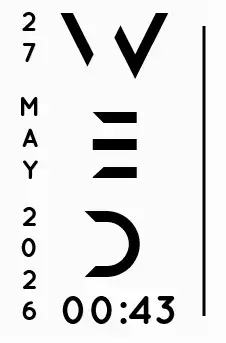
Axis Rainmeter Skin
Axis is a real-time clock skin built around a minimal vertical layout and futuristic typography.

Skin
Soluna Rainmeter Skin
Soluna uses a minimal vertical composition with a Mond-inspired aesthetic and a set of distinctive display fonts.


Skin
Simple Countdown Rainmeter Skin
Simple Countdown is described as a minimalist, miniature desktop countdown for Rainmeter.