Inspect / Rainmeter skin
Console28 Rainmeter Theme
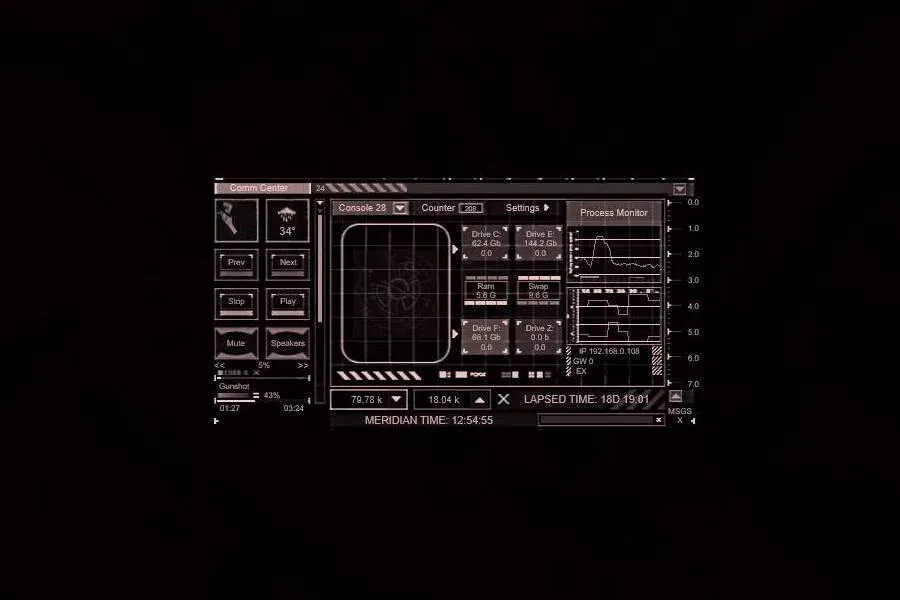
A console-style arrangement with color shades, CPU graphs, RAM information and drive readings.
Download Console28 Rainmeter Theme (.rmskin)
- Creator credit
- Eclectic-Tech
- Package
- console28.rmskin
- Requires
- Rainmeter; exact minimum version not established
What to compare
A console-style arrangement with color shades, CPU graphs, RAM information and drive readings.
Setup and limitations
The visual metaphor is a console, not proof of a command terminal or arbitrary system control. Use the documented monitoring fields rather than the distributor’s broader promotional claims about doing almost anything.
Follow the .rmskin installation guide, then load only the components you need. Use the layout and configuration guide before editing files.
Source and verification
The Console28 Rainmeter Theme source listing provides the credited creator, stated features and existing preview. Creator credit: Eclectic-Tech. We have not installed or benchmarked this package. Source-listed Windows support is not independently tested compatibility; wallpaper and other preview elements may be separate works.
Compare alternatives
Similar skins
Alternatives in the same functional category, excluding this entry. Compare their source notes before choosing.

Skin
Colors Of Life 2 Rainmeter Skin
Six sections organize Control Panel, system information, drives, website shortcuts, time/weather and applications.
Skin
SnippyShip Rainmeter Skin
Analog/digital time, date, weather, CPU/RAM and battery combine with pop-up panels for drives, apps and internet services.

Skin
Technology Wave Rainmeter Skin
An industrial layout combines time/date, forecast, drive/RAM space and shortcuts to folders, settings and websites.